A kiosk is a self-service machine that lets people complete a task, like checking in, paying a bill, or picking up a ticket, on their own, without needing a staff member. It’s built to handle one job well and fast, so a queue that would normally need a counter and an employee can run largely on its own.
Kiosk machines are deployed across banking, retail, healthcare, government, telecom, airports, and hospitality | anywhere that high-volume, repeatable interactions need to happen faster and at lower cost than a staffed counter allows.
At Wavetec, we deploy kiosks as part of complete customer flow management solutions across these industries. What that experience consistently shows is that a kiosk is not just a technology shortcut | it is a service delivery decision. Deploying the right kiosk type in the right environment reduces queue length, cuts transaction time, and raises customer satisfaction scores measurably.
This guide covers what a kiosk machine is, the main types in use today, real deployment examples, current market data, and what the self-service kiosk landscape looks like in 2026.
What is a Kiosk Machine?
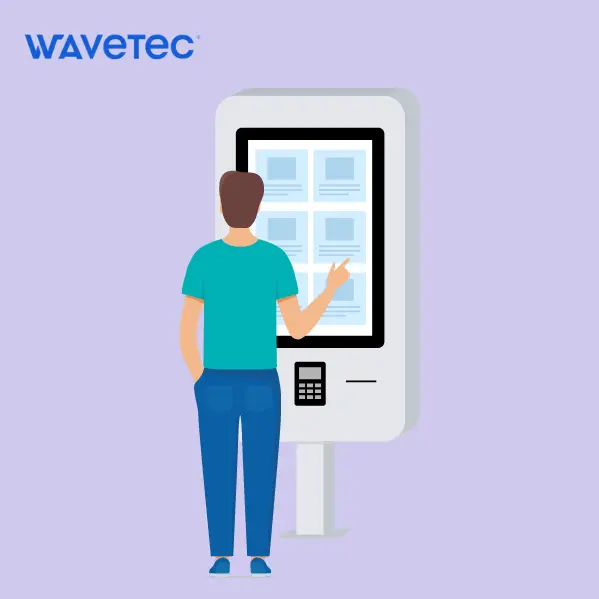
A kiosk machine is a standalone, self-contained unit that combines hardware | typically a touchscreen display, processor, and one or more peripheral devices | with software that guides a user through a specific service or transaction flow. The user interacts directly with the kiosk interface to complete the task without needing a member of staff at the terminal.
Modern kiosk machines connect to backend systems in real time: a bank kiosk connects to the core banking platform; a patient check-in kiosk connects to the hospital management system; a SIM dispensing kiosk connects to the national identity verification database. This connectivity is what distinguishes a digital kiosk from a static information point.
Types of Kiosks
1. Ticket Dispenser Kiosks
Ticket dispenser kiosks assign customers a numbered position in a service queue. Used in banks, telecom stores, government offices, and hospitals as the entry point for a structured queue management system. Wavetec deploys ticket dispensers as part of its Spectra queue management platform across banking and public sector clients globally.
2. Self-Checkout Kiosks
Retail and quick-service restaurant environments use self-checkout kiosks to let customers scan, customise, and pay for purchases without a cashier. Studies across QSR deployments show self-order kiosks increase average order values between 15% and 30% through upsell automation (TIG, 2025). The retail self-checkout segment is the fastest-growing kiosk vertical with a projected 16.20% CAGR through 2030 (Mordor Intelligence, 2025).
3. Patient Check-In Kiosks
Healthcare providers deploy patient check-in kiosks at clinic and hospital entrances to allow patients to register arrival, confirm appointment details, select the relevant service, and receive a queue ticket without reception staff involvement. This reduces front-desk bottlenecks and is a core tool in patient flow management.
4. SIM Dispensing and KYC Kiosks
Telecom operators use SIM dispensing kiosks to automate SIM card issuance, plan selection, and identity verification. Wavetec’s KYC kiosk reduces SIM activation time from 15 or more minutes (manual agent process) to under 5 minutes, through biometric verification and real-time identity database integration.
5. Cash Deposit Machines (CDMs)
Bank branches deploy cash deposit kiosks to handle cash and cheque deposits 24/7 without teller involvement. Wavetec’s CQuick cash deposit machine supports cardless deposits using QR code or biometric verification, with real-time core banking integration for instant account crediting.
6. Wayfinding and Information Kiosks
Airports, hospitals, shopping centres, and government buildings deploy wayfinding kiosks to help visitors navigate facilities, find services, and access information. These often include map displays, floor directories, and integration with real-time event or service schedules.
7. Digital Signage and Queue Display Kiosks
Queue display kiosks show live ticket call numbers and customer notifications on screens in service environments. When integrated with Wavetec’s Spectra queue management system, these displays update in real time each time a customer is called, removing the need for staff to make verbal announcements.
What is Digital Kiosk?
A digital kiosk is an advanced version of a traditional kiosk that uses interactive software, touchscreens, and connected systems to deliver services in real time.
Unlike static kiosks, digital kiosks integrate with backend systems, enabling features like payments, queue management, customer data tracking, and real-time updates.
Features of Digital Kiosks
Digital kiosks offer a range of useful features including the following:
1. Touch Screen Feature

Customers can interact with digital kiosks using touch screens. This kiosk feature enables customers and service providers to engage, enabling customers to receive the services or information they want.
2. Payment Process Feature

Customers often need to make payments to purchase goods and services through self-service. Henceforth, digital kiosk systems have a payment process feature that enables customers to pay via the kiosk.
3. Intuitive User Interface
Users navigate through the software to complete tasks: an intuitive user interface ensures that customers find what they want easily.
4. Printer Feature
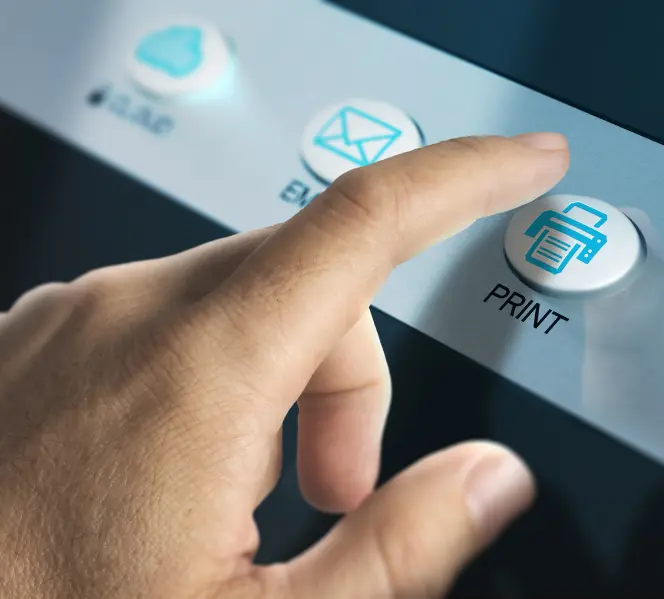
The customers may need to print out a ticket or a receipt from the kiosk. That’s when the printer feature comes in handy; it enables the customers to generate a hard copy of their ticket or receipt.
5. Customizable
Kiosks are fully customizable; whether it’s the kiosk display, size, or outward appearance, they can be modified to cater to businesses’ specific needs as determined by the designated location and branding needs.
Additionally, the kiosks’ software is also customizable; it can be tailored to serve various purposes and cater to different business needs.
Digital Kiosks vs Traditional Kiosks
A traditional kiosk performs a fixed, single function | dispensing a numbered ticket or printing a receipt. A digital kiosk is software-driven and connected: it integrates with backend systems, supports multiple services in one interface, accepts multiple payment methods, and generates analytics data from every session.
The shift from traditional to digital kiosk infrastructure is well underway. In 2025 to 2026, the strongest growth in the kiosk market is coming from multi-modal automation systems that combine kiosks, digital signage, cloud analytics, and AI-driven upsell and routing (Kiosk Association Market Report, 2025).
Benefits of Kiosks
Kiosks are crucial in today’s fast-paced world and they play a significant role across various industries due to the range of benefits they offer. Here is a comprehensive overview of these benefits:
Kiosks reduce customer wait times and increase throughput. Automated payment kiosks process transactions 40% faster than traditional methods (Global Growth Insights, 2026).
Beyond speed, the benefits of self-service kiosks cover four dimensions:
- Cost reduction: kiosks automate routine, high-volume transactions that would otherwise require staffed counters, reducing headcount requirements during peak periods without reducing service capacity.
- Revenue increase: AI-driven upsell prompts on self-order kiosks consistently increase average transaction values by 15 to 30% in QSR and retail deployments.
- Customer satisfaction: 73% of customers say valuing their time is the most important thing a business can do for customer experience (Deliverect, 2025). Kiosks deliver speed without sacrificing accuracy.
- Data capture: every kiosk interaction generates structured transaction data that feeds into analytics platforms like Wavetec’s Spectra, enabling demand forecasting, queue optimisation, and staff planning.
Importance of Kiosks
In today’s fast-paced world, kiosks have become an increasingly important technology for businesses and organizations looking to keep up with changing customer needs and preferences. Kiosks offer a quick and convenient way for customers to access information, complete transactions, and obtain services, all while reducing wait times and improving efficiency.
In 2026, kiosks continue to play a crucial role in enhancing customer experience and enabling businesses to stay competitive in a rapidly changing market.
How Kiosks Are Used Across Industries
Kiosks are an essential tool for customer-facing industries seeking to improve operational and administrative efficiency. Here is how some of these industries are utilizing digital kiosks:
How Kiosks Are Used Across Industries
Banking
Banks use ticket dispensers for queue management, CDMs for cash and cheque deposits, card issuance kiosks for debit and credit card collection, and KYC kiosks for identity verification during account opening. More than 60% of banks have adopted self-service kiosks and automated queue solutions to improve branch efficiency (Global Growth Insights, 2025).
Healthcare
Hospitals and clinics use patient check-in kiosks, wayfinding terminals, and feedback collection kiosks. The patient self-service kiosk market was valued at USD 1.14 billion in 2024 and is projected to reach USD 7.68 billion by 2037 at a 15.8% CAGR (Deliverect / industry data, 2025).
Government and Public Services
Government service centres deploy multi-service queue kiosks, document submission terminals, fee payment kiosks, and citizen feedback stations. Self-service kiosk deployments in the public sector rose 16% year-over-year in 2025 driven by e-government digitisation programmes (Global Growth Insights, 2025).
Telecom
Telecom retail stores use SIM dispensing kiosks, KYC verification kiosks, and queue management ticket dispensers to separate service streams by transaction type. 38% of Gen Z and millennial telecom customers prefer self-service over agent interactions for routine transactions (Deliverect, 2025).
Retail and QSR
Retailers and quick-service restaurants deploy self-checkout kiosks, order customisation terminals, and loyalty kiosks. The retail self-service kiosk market is valued at USD 761.79 million in 2025 and growing at 11.15% CAGR through 2035 (Global Growth Insights, 2026).
Case Study: How Kiosks Improve Customer Flow
In real-world implementations, kiosks are often used as part of queue management systems to improve customer flow.
For example, in retail environments, ticket-dispensing kiosks allow customers to join a queue without standing in line. Instead, they can browse the store while waiting for their turn.
In banking and public service centers, kiosks enable customers to check in, select services, and receive queue numbers instantly.
Results from such implementations include:
- Reduced physical crowding
- Faster service times
- Improved customer satisfaction
- Better staff allocation and efficiency
These real-world use cases show that kiosks are not just devices. They are essential tools for managing customer experience and operational efficiency.
When Should You Use a Kiosk Machine?
Businesses should consider implementing kiosk machines when:
- There are long queues or waiting times
- Customers require quick self-service options
- Staff workload needs to be reduced
- High customer volume requires efficient flow management
Kiosks are especially effective in high-traffic environments such as retail stores, banks, hospitals, and airports.
Challenges of Using Kiosk Machines
While kiosks offer significant benefits, there are some challenges to consider:
- Initial setup and hardware costs
- Integration with existing systems
- Maintenance and technical support
- User adoption among non-tech-savvy customers
Addressing these challenges requires selecting the right kiosk solution provider and ensuring proper implementation.
Considerations for Selecting a Digital Kiosk
There are several types of kiosks available, each consisting of unique features and serving a distinct function. Here are factors that you must consider while choosing a digital kiosk:
1. Goals
The purpose and the ultimate goal of the kiosk system is to play a key role in determining the type of kiosk you need. For example, if the goal is to make navigation easier for visitors, then you need to deploy wayfinding kiosks. However, if the goal is to minimize human interaction while enabling customers to purchase, then vending machines may be the right choice.
2. Location
It is crucial to consider the location of the kiosks before selecting an electronic kiosk; develop an understanding of the space and the issues faced by the people in that location. For example, if you are looking for kiosks at the entrance of the service center, you can either deploy ticket dispensers or wayfinding kiosks, depending upon what the pain point of the visitors in that location is.
3. Security
Kiosks can store sensitive data, including customer information and financial transactions, making them a potential target for hackers and other cybercriminals. This makes customers’ security a primary concern. Therefore, it is crucial for businesses to select solution providers that focus on high-security standards. Wavetec kiosks, for instance, are equipped with advanced security features such as encrypted data transmission, password-protected access, and remote monitoring capabilities.
4. Maintenance and Support
Like any other hardware and software solution, digital kiosks are also highly technical and complex. This makes it essential for the solution provider to also offer good after-sales maintenance and support services, enabling businesses to maximize the potential utility of the digital kiosks.
5. Integration with Existing Systems
Kiosks such as ticket dispensers or cash deposit machine need to be integrated with other existing systems to ensure that the data is well-managed and organized. A kiosk that integrates seamlessly with your existing systems and software can save you time, effort, and money. If the kiosk is not integrated with the rest of the system, it will essentially be useless – it will fail to streamline processes and organize long queues. Therefore, businesses must consider how well-integrated the kiosk machine is. Ideally, the kiosk must also be integrated with a dashboard that gathers and reports real-time data.
Future of Digital Kiosks
The future of digital kiosks is expected to be even more innovative and advanced. With the ongoing advancements in technology, digital kiosks are likely to become more interactive and intuitive, with features such as voice recognition, artificial intelligence, and augmented reality. The integration of these technologies will allow for a more personalized and efficient user experience.
Additionally, the use of biometric authentication is likely to become more widespread, ensuring a higher level of security and convenience for users. The integration of mobile devices with kiosks is also expected to increase, allowing users to interact with kiosks through their smartphones.
The use of data analytics and real-time reporting will become more prevalent, allowing businesses to make more informed decisions based on user behavior and preferences. Overall, the future of digital kiosks looks very promising and will continue to play a significant role in improving customer experiences across a wide range of industries.
Frequently Asked Questions
What is a kiosk?
A kiosk is a self-service machine that allows people to complete a transaction or task on their own, without a staff member’s help. It’s typically a standalone unit with a screen and simple controls, used anywhere a quick, repeatable interaction needs to happen faster than waiting for a counter, from picking up a queue ticket at a bank to checking in at a clinic.
What is a kiosk machine?
A kiosk machine is a standalone self-service terminal that allows customers to complete transactions, access information, or receive services without direct staff assistance. Kiosk machines combine a touchscreen display, processor, and peripheral devices (card reader, printer, camera, biometric sensor) with software that guides the user through a service flow and connects to relevant backend systems in real time.
What are the main types of kiosks?
The main types of kiosks in commercial use in 2026 are: ticket dispenser kiosks for queue management, self-checkout kiosks for retail and QSR, patient check-in kiosks for healthcare, SIM dispensing and KYC kiosks for telecom, cash deposit machines for banking, wayfinding and information kiosks for navigation, and queue display kiosks for customer notification.
What is a digital kiosk?
A digital kiosk is an advanced, software-driven self-service terminal that integrates with backend systems in real time, supports multiple services in a single interface, accepts diverse payment methods, and generates analytics data from every interaction. Unlike traditional kiosks that perform a single fixed function, digital kiosks are connected, updatable, and configurable without hardware changes.
How do kiosks reduce wait times?
Kiosks reduce wait times by automating routine, high-volume transactions that would otherwise require a staffed counter. By handling SIM activations, cash deposits, patient check-ins, and self-checkout without an agent, kiosks free counter staff for complex interactions. Queue management kiosks also structure customer flow, eliminating the informal queuing that creates unpredictable wait times.
Key Takeaway
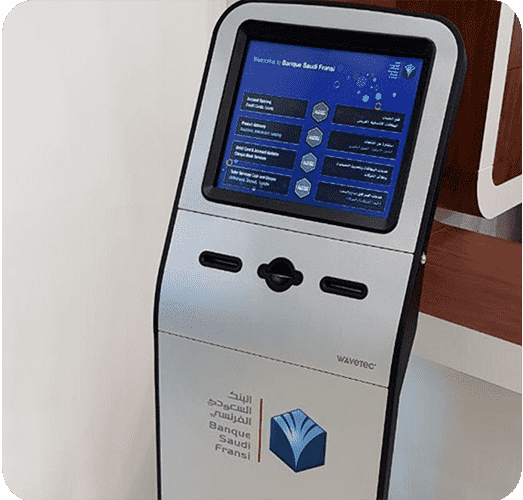
Kiosk machines have become a key part of modern customer service strategies, enabling businesses to offer faster, more efficient, and self-service experiences.
From retail and banking to healthcare and public services, digital kiosks help reduce wait times, improve operational efficiency, and enhance overall customer satisfaction.
As customer expectations continue to evolve, investing in the right kiosk solution can give businesses a significant competitive advantage.
BOOK A FREE DEMO