Cloud queue management systems are hosted on remote servers and accessed via the internet, offering lower upfront costs and easy scalability. On-premise systems run on local servers within a business’s own infrastructure, providing full control over data and security.
Queue management systems have become essential for businesses that serve customers in person. Banks, hospitals, retail stores, and government offices use these systems to reduce wait times, balance staff workloads, and improve customer satisfaction.
However, choosing the right deployment model for a queue management system is not always simple.
Businesses must decide between cloud-based and on-premise solutions, each with its own advantages and trade-offs. The decision affects upfront costs, ongoing maintenance, data security, scalability, and IT resource requirements.
Some organizations prefer the flexibility and lower entry cost of the cloud. Others need the control and compliance assurance of on-premise infrastructure.
This article compares cloud vs on premise queue management systems across key factors including cost, security, scalability, and maintenance.
Wavetec offers flexible deployment options to meet the needs of any organization, whether cloud, on-premise, or hybrid.
What Is a Cloud-Based Queue Management System?
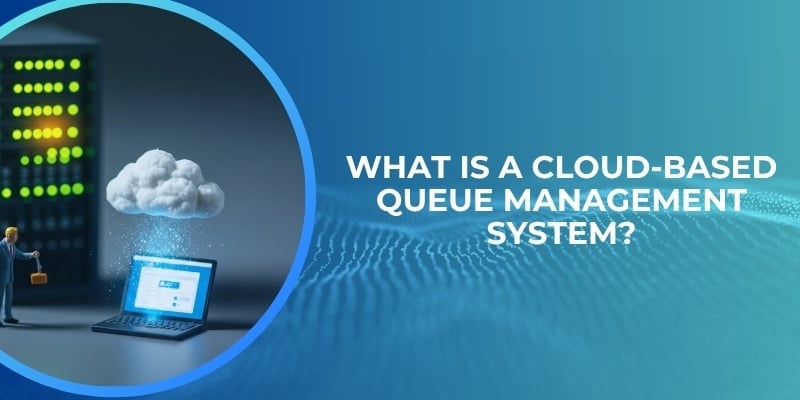
A cloud queue management system is a software solution hosted on remote servers owned and maintained by a vendor.
Customers access the system through a web browser or mobile app over the internet. The vendor handles all technical aspects: server hardware, software updates, data backups, security patches, and infrastructure scaling.
Businesses pay a subscription fee, typically monthly or annually, based on the number of users, branches, or transactions.
Cloud deployment is also known as Software as a Service (SaaS). For queue management, this means that branch staff can log in from any location with an internet connection. Managers can monitor queue performance across multiple branches from a single dashboard. New features and security updates are deployed automatically without requiring IT intervention.
Cloud systems are ideal for organizations that want to avoid large upfront hardware investments, need to scale quickly across many locations, or have limited internal IT resources.
What Is an On-Premise Queue Management System?
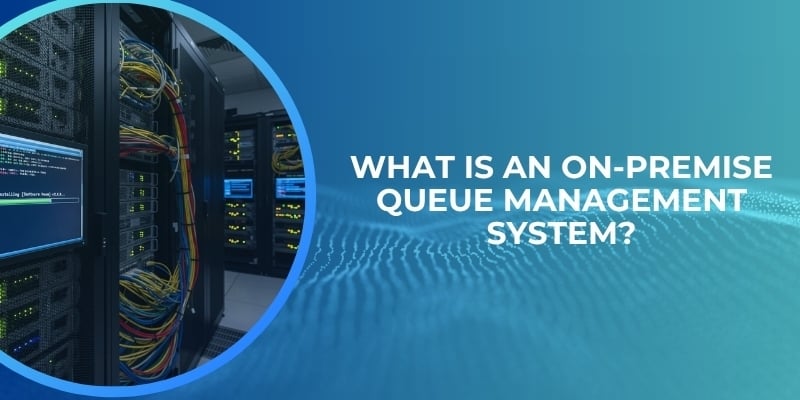
An on premise queue management system is software installed on servers located within the business’s own facilities. The organization owns and manages the entire infrastructure: servers, storage, networking, and security.
The queue management software is installed on these local servers, and all customer data remains within the organization’s controlled environment.
On-premise deployment gives businesses full control over their data and systems. They decide when to apply updates, how to configure security, and how long to retain logs. There is no dependency on an internet connection for core queue functions, though remote access may require VPN or other secure connections.
On-premise systems are often preferred by large enterprises, government agencies, and financial institutions that face strict data residency or compliance requirements.
The trade-off is higher upfront costs for hardware and software licenses, plus ongoing IT staff time for maintenance and support.
Key Differences Between Cloud and On-Premise Queue Systems
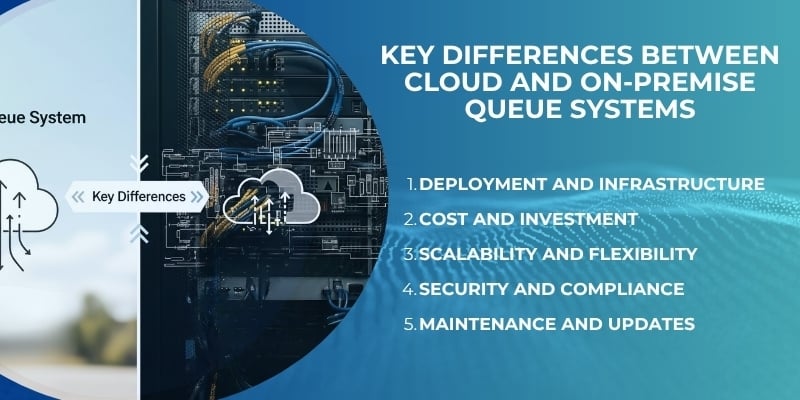
Understanding the differences across several factors helps organizations make an informed choice.
Deployment and Infrastructure
Cloud systems are hosted on vendor infrastructure. There is no hardware to buy or maintain. Setup involves configuring software settings, not installing servers.
On-premise systems require purchasing servers, storage, networking equipment, and software licenses. The organization must provide physical space, power, cooling, and IT staff to manage the environment.
Cost and Investment
Cloud systems require little upfront capital. Businesses pay an operational expense subscription that covers software, hosting, maintenance, and support.
On-premise systems require significant upfront capital investment for hardware and perpetual software licenses. However, over a very long time horizon, on-premises may have lower total cost for large, stable deployments where internal IT costs are already sunk.
Scalability and Flexibility
Cloud systems scale almost instantly. Adding a new branch requires only creating new user accounts and configuring settings. The vendor handles additional server capacity.
On-premise systems require planning for peak capacity, purchasing extra hardware, and waiting for installation. Scaling up is slower and more expensive.
Security and Compliance
Both models can be secure, but the responsibility differs.
In the cloud, the vendor is responsible for infrastructure security, physical data center protection, and platform patches. The customer is responsible for access policies and user permissions.
In on-premise, the organization bears full responsibility for all security layers: physical, network, application, and data. Some regulated industries prefer on-premise because they retain complete control and can demonstrate compliance more directly.
Maintenance and Updates
Cloud systems include automatic updates. The vendor tests and deploys new features and security patches with no action required from the customer.
On-premise systems require the customer to schedule, test, and apply updates manually. This takes IT staff time and can lead to delays in receiving critical security patches.
Benefits of Cloud-Based Queue Management Systems
Organizations that choose cloud queue management enjoy several advantages that drive adoption across industries.
Scalability is the most significant benefit. A business with five branches can expand to fifty without purchasing new servers or rearchitecting the system. The cloud vendor handles the underlying infrastructure growth automatically.
Lower upfront costs remove barriers to entry. A small bank or clinic can implement a professional queue management system without a large capital budget. Subscription pricing aligns cost with usage.
Remote accessibility allows managers to monitor queue performance from anywhere. Regional directors can see real-time data across all branches without being physically present. Staff can log in from home during emergencies.
Faster deployment means systems go live in days or weeks, not months. There is no hardware procurement delay, no server setup, and no software installation on local machines.
Automatic updates ensure the system always has the latest features and security patches. Organizations never run outdated, vulnerable versions because they skipped an upgrade cycle.
A 2025 Mordor Intelligence report finds that cloud‑based queue management deployments are growing at about 11.05% CAGR, outpacing the on‑prem segment. This trend reflects the increasing preference for flexible, low-overhead solutions.
Benefits of On-Premise Queue Management Systems
Despite the momentum toward cloud, on-premise systems remain the right choice for many organizations.
Full control over infrastructure appeals to businesses that want to own their technology stack completely. They decide where servers are located, how data is backed up, and when maintenance occurs.
Data security preferences can be satisfied more directly when data never leaves the organization’s network. For highly sensitive environments such as defense contractors or certain government agencies, on-premise may be the only acceptable option.
Customization capabilities are often deeper with on-premise systems because the organization has access to the entire software stack. They can modify integrations, reporting, and workflows beyond what a multi-tenant cloud vendor allows.
Suitability for regulated industries is a key factor. Banks and healthcare providers in some jurisdictions must keep customer data within geographic boundaries or on specific certified infrastructure. On-premise gives them direct control to meet these requirements.
Hybrid Queue Management Systems – The Best of Both Worlds
Hybrid deployment models combine cloud and on-premise elements to meet specific needs. For queue management, a hybrid approach might involve keeping sensitive customer data on local servers while using cloud-based analytics and reporting. Or it might mean running the core queue system on-premise but using cloud services for SMS notifications and appointment reminders.
Hybrid systems offer flexibility for organizations that want the control of on-premise for some functions and the scalability of cloud for others.
They are particularly useful during transition periods when a business moves gradually from on-premise to cloud. They also work well for organizations with varying requirements across different branches or regions.
A Market.US report on virtual queuing highlights that around 72% of businesses integrating AI use it with queue analytics, most often in cloud‑hosted or hybrid systems. This shows that even organizations with on-premise roots are adopting hybrid models to access advanced analytics without fully migrating.
Which Deployment Model Is Right for Your Business?
The choice between cloud, on-premise, or hybrid depends on several factors specific to each organization.
Budget is often the starting point. Organizations with limited capital and predictable operating budgets lean toward cloud. Those with ample capital and a preference for owning assets may choose on-premise.
Scale matters. A single-location business may be fine with either model. A multi-branch enterprise with rapid expansion plans will benefit from cloud scalability.
Compliance requirements can dictate the choice. Healthcare, banking, and government entities should review regulatory obligations before deciding. Some regulations explicitly require data to remain on-premise or within specific certified cloud environments.
IT resources are critical. Organizations with small or overstretched IT teams will struggle to maintain an on-premise system. Cloud offloads that responsibility to the vendor.
Internet reliability is a practical consideration. Businesses in locations with poor connectivity may prefer on-premise to avoid dependency on external networks.
- When to choose cloud: startups, multi-branch retail, clinics, small to medium banks, and any organization that values speed and flexibility over absolute control.
- When to choose on-premise: large enterprises with mature IT departments, government agencies, defense contractors, and organizations with strict data residency laws.
- When hybrid is ideal: businesses transitioning from on-premise to cloud, those with mixed regulatory requirements across locations, and organizations that want advanced cloud analytics while keeping core data local.
Cloud vs On-Premise in Wavetec Queue Management Solutions
Wavetec provides both cloud and on-premise deployment options for its queue management, appointment booking, and customer journey management solutions.
This flexibility ensures that organizations of any size, industry, or technical preference can implement the right solution for their needs.
For cloud deployments, Wavetec offers a fully managed SaaS platform. Customers access the system through a web dashboard. No hardware is required. Updates are automatic. Multi-branch management is centralized. Real-time analytics are available from any location.
For on-premise deployments, Wavetec provides software that installs on the customer’s own servers. The organization maintains full control over data, security policies, and update schedules. Wavetec provides installation support and ongoing technical assistance as needed.
For hybrid needs, Wavetec integrates cloud-based analytics and notification services with on-premise queue cores. Customers keep sensitive data local while benefiting from cloud scalability for customer communications and reporting.
Centralized management for multi-branch operations is a strength of both models. Whether cloud or on-premise, Wavetec systems allow regional and headquarters staff to monitor performance across all locations from a single interface.
Integration with customer journey management and appointment booking ensures a seamless experience regardless of deployment choice.
Case Study – Choosing the Right Deployment for a Retail Chain
Retail chains operating across multiple locations must carefully evaluate their queue management deployment model to balance scalability, performance, and operational control.
Wavetec’s retail implementations demonstrate how cloud, on-premise, and hybrid approaches support different business needs across store formats and geographies.
Consum – Cloud / Hybrid Deployment for Multi-Store Scalability
Consum, one of Spain’s largest supermarket chains with hundreds of stores, required a queue management solution that could be deployed consistently across a large network while maintaining centralized control.
Wavetec enabled standardized queue operations across deli and service counters, supported by centralized monitoring and analytics. Head office teams could track performance across locations, optimize staffing, and ensure consistent service delivery.
This type of deployment aligns with cloud or hybrid models, where centralized visibility, scalability, and ease of rollout are essential for managing high-volume, multi-branch retail operations.
Carrefour Kenya – Cloud Deployment for Flexibility and Customer Mobility
Carrefour Kenya implemented Wavetec’s queue management solution to reduce long checkout lines and improve in-store customer flow.
Customers could join queues and continue shopping freely, improving convenience and increasing the likelihood of additional purchases. The system handled dynamic customer volumes while maintaining consistent service levels across stores.
This use case aligns strongly with a cloud deployment model, where scalability and real-time responsiveness are critical to handling fluctuating footfall in retail environments.
IKEA Dubai – On-Premise / Hybrid Deployment for High-Volume Reliability
IKEA Dubai adopted Wavetec’s linear queue management system to manage high customer volumes at checkout and improve in-store efficiency.
The solution ensured structured queue flow, clear customer direction, and consistent performance during peak hours. In such high-traffic environments, system reliability and low latency are critical for uninterrupted operations.
This scenario typically aligns with an on-premise or hybrid deployment, where local infrastructure supports real-time responsiveness while still enabling integration with centralized systems if required.
Puma – Cloud / Hybrid Deployment for Digital and Virtual Queuing
Puma implemented Wavetec’s queue management system across multiple stores, incorporating a virtual queuing solution and WhatsApp-based interaction to manage peak demand periods.
Customers could join queues remotely, receive updates, and plan their visits without waiting physically in-store. The system supported high volumes across multiple locations with centralized configuration and management.
This approach reflects a cloud or hybrid deployment model, where digital engagement channels, rapid scalability, and multi-location coordination are key requirements.
Key Takeaway
These implementations highlight that deployment choice depends on the scale, operational complexity, and customer experience goals of the retailer.
- Cloud deployments enable scalability, rapid rollout, and centralized management for growing retail networks.
- On-premise deployments support high-performance, in-store reliability for environments with consistent heavy traffic.
- Hybrid models combine both, allowing retailers to maintain control while leveraging cloud-based analytics and customer engagement tools.
Wavetec’s flexible deployment options allow retail organizations to adopt the model that best fits their infrastructure and evolve as their business grows.
Challenges in Cloud and On-Premise Deployments
Each deployment model comes with its own set of challenges that organizations should anticipate.
- Cloud challenges include concerns about data security and privacy. Some organizations worry about vendor access to customer information. Internet dependency is another factor. If the internet connection fails at a branch, cloud-based queue systems may become unavailable. However, many cloud systems include offline fallback modes. Data sovereignty can be an issue if the vendor’s data centers are located in other countries.
- On-premise challenges center on cost and maintenance. Upfront hardware and software costs can be substantial. IT staff must be trained to manage the system, and turnover creates knowledge gaps. Scaling requires purchasing additional hardware in advance, leading to either underutilized capacity or performance bottlenecks. Disaster recovery is the customer’s responsibility, requiring backup systems and offsite storage.
- Hybrid complexity adds another layer. Managing both cloud and on-premise components requires integration skills. Data must flow smoothly between environments without security gaps. Hybrid systems can be more expensive than pure cloud or pure on-premise if not designed carefully.
Future of Queue Management Deployment Models
The trend in queue management deployment is clearly toward cloud and hybrid models. Several factors drive this shift.
- Shift toward cloud and hybrid reflects broader enterprise software adoption patterns. Organizations want the flexibility to scale, the convenience of automatic updates, and the reduced burden on internal IT teams.
- AI-powered queue analytics are increasingly delivered through cloud platforms because AI models require significant computational resources and continuous data aggregation across many branches. Cloud is better suited to these demands than isolated on-premise servers.
- Increased adoption of SaaS platforms across all business functions means that procurement teams are more comfortable with subscription models than in the past. The perceived risk of cloud has decreased significantly.
- Remote management trends accelerated by recent work patterns mean that even traditionally on-premise organizations now expect to monitor and manage systems from anywhere. Cloud native architectures support this expectation naturally.
FAQs
What is the difference between cloud and on-premise queue systems?
Cloud systems are hosted on vendor servers and accessed via the internet with subscription pricing. On-premise systems run on the customer’s own local servers with upfront licensing costs.
Cloud offers lower entry cost and easier scaling; on-premise offers full control over data and infrastructure.
Which is more secure: cloud or on-premise?
Both can be highly secure when properly implemented. Cloud vendors invest heavily in security expertise and infrastructure that many organizations cannot match.
On-premise gives direct control but requires the organization to maintain that security themselves. The more secure choice depends on the organization’s capabilities, not the model alone.
Is cloud queue management cheaper?
For most organizations, cloud has lower total cost of ownership over three to five years because it eliminates hardware purchases, reduces IT staff time, and includes updates and support in the subscription.
For very large, stable deployments with existing IT staff, on-premise may be cost-competitive over longer periods.
What is a hybrid queue management system?
A hybrid system combines cloud and on-premise components. Core queue functions may run locally while analytics, reporting, or customer notifications use cloud services.
Hybrid is useful for organizations that need local control for compliance reasons but want cloud benefits for other functions.
Which industries prefer on-premise systems?
Highly regulated industries such as defense, certain government agencies, and financial institutions with strict data residency laws often prefer on-premise. Healthcare organizations may choose on-premise for patient data depending on local regulations.
However, many banks and healthcare providers now use cloud or hybrid after satisfying compliance requirements.
Conclusion
Choosing between cloud vs on premise queue management is not about which model is universally better. It is about which model fits your organization’s specific needs.
- Cloud offers lower upfront costs, faster deployment, automatic updates, and effortless scalability.
- On-premise offers complete control over data and infrastructure, which matters for some regulated industries and organizations with strong preferences for owning their technology stack.
- Hybrid provides a middle path for those who want both control and flexibility. The right choice depends on your budget, IT resources, compliance obligations, growth plans, and risk tolerance.
Wavetec supports all three deployment models, allowing businesses to start with one approach and evolve as needs change. The most important step is to make a deliberate choice based on facts, not assumptions, and to work with a vendor that offers the flexibility to adapt over time.
BOOK A FREE DEMO