Updated: | 11 min read
Quick answer: To choose a queue management system, define the problem first, match the queuing model to how your customers arrive, then score vendors on eight criteria: ease of use, integration, customization, scalability, analytics, channels, support and cost. Check security and accessibility in writing, and pilot one site before you roll out.
In a hurry?
- Start with who waits, where they wait and what staff need to see, not with a feature list.
- Use one weighted scorecard for every vendor and ask for client-referenced results, not brochure claims.
- Pilot one site, measure wait time and abandonment before and after, then decide.
Choosing a queue management system (QMS) looks like a software decision, but it is really a decision about how a customer moves through your building, your app and your staff’s day. Get it right and a branch, hospital or service center feels organized. Get it wrong and you carry a system that staff work around.
The stakes are commercial as well as operational. Watermark Consulting’s 2026 Banking Customer Experience ROI Study, released on April 14, 2026, found that banks with the strongest customer experience generated 2.4 times higher stock returns than those with the poorest, measured across a nine-year analysis of the top and bottom banks in J.D. Power’s U.S. National Banking Satisfaction rankings. It is a banking study, but the principle travels: customer experience is measurable in business terms. A separate 2025 survey of 1,000 U.S. consumers by Waitwhile, a queue software vendor, reports that 65% would prefer to schedule appointments instead of waiting in line and 50% prefer virtual queues over physical ones. Read that as a vendor survey, not an industry benchmark.
This guide gives you a practical way to choose: define the problem, pick the queuing model, score vendors against eight criteria, check security and governance, and run a pilot. Examples come from Wavetec, which has built queuing solutions since 1986 and has more than 30,000 systems deployed in 80+ countries. For a broader product overview, see our queue management system guide and our comparison of queue management types.
Step 1: Define the queuing Problem Before You Compare Products
Most failed selections start with a feature list instead of a problem statement. Write down three things first:
- Who waits: walk-ins, customers with bookings, or a mix of both.
- Where they wait: in the lobby, in the parking lot or at home.
- What staff need to see: queue length, wait times, priority customers and who is serving whom.
Step 2: Match the Queuing Model to Your Operation
Queuing is not one thing. The table below maps each model to the situation it fits and the Wavetec product that delivers it.
| Model | Best for | How the customer uses it | Wavetec product |
|---|---|---|---|
| Linear (single line) | Simple, quick transactions: pharmacies, clinics, laboratories, small service centers | Joins one shared line and is called forward to the next free counter, no ticket needed | UNO-Q linear queuing |
| Ticket-based | Branches with several service types and priorities | Takes a ticket at a kiosk and is routed by service type, priority and staff availability | Take a number ticketing |
| Virtual queuing | Reducing physical crowds; hybrid walk-in and remote | Joins by mobile app, SMS, QR code, web or kiosk and tracks position remotely | Virtual queuing |
| WhatsApp queuing | Markets where WhatsApp is the default channel | Scans a QR code, chats with the business and receives live position updates | WhatsApp virtual queuing |
| Mobile queuing | Organizations with their own app | Gets a ticket for the nearest branch, sees live status and can reschedule | Mobile queuing app |
| Appointments | Predictable demand and high-value visits | Books, reschedules or cancels online, then checks in on arrival | Appointment management |
Most buyers end up with a blend. Wavetec’s virtual queuing page describes hybrid queues, where customers join in person or online, and fully virtual queues, where they join remotely and receive real-time updates until their service point is ready. A single platform that runs all models avoids the cost of stitching separate tools together.
Step 3: Score Vendors Against Eight Criteria
Use the scorecard below in your RFP. Weight each row by importance to your operation, score each vendor from one to five, and ask for proof in every row.
| Criterion | Ask the vendor | What good looks like |
|---|---|---|
| 1. Ease of use | Can a new customer and a new teller use it without training? | Clear screens in the customer’s language; short staff onboarding |
| 2. Integration | Which CRM, POS, ERP and SSO systems connect, and how? | Documented APIs; Wavetec lists REST APIs, SDKs and SAML or OAuth SSO |
| 3. Customization | Can workflows, branding and priority rules change without code? | Configurable services, priorities and branded interfaces |
| 4. Scalability | Can it run one site and then hundreds with central control? | Central management; proven multi-site references |
| 5. Analytics | Which KPIs are built in and can they export to BI tools? | Wait time, service time, abandonment, throughput, CSAT and SLA reporting |
| 6. Channels | Which arrival channels are supported out of the box? | Kiosk, web, app, SMS, QR and WhatsApp on one platform |
| 7. Support | Who supports it locally, and in which time zone? | Local support presence and written support commitments |
| 8. Cost and ROI | What is the total cost across hardware, licenses and support? | A transparent model and a way to estimate return |
For the integration row in particular, read our guide to queue management system integration. To model return before you commit, use the Wavetec ROI calculator. For the proof column, ask every vendor for client-referenced results with a named client, a site count and a before-and-after figure. As an example of what to look for, Wavetec’s BBVA Peru deployment across 278 branches cut average wait times by about 35%, cut abandonment by 57% and ran at 99.93% uptime.
Step 4: Look at the Whole Waiting Experience, Not Just the Software
Check-In Hardware
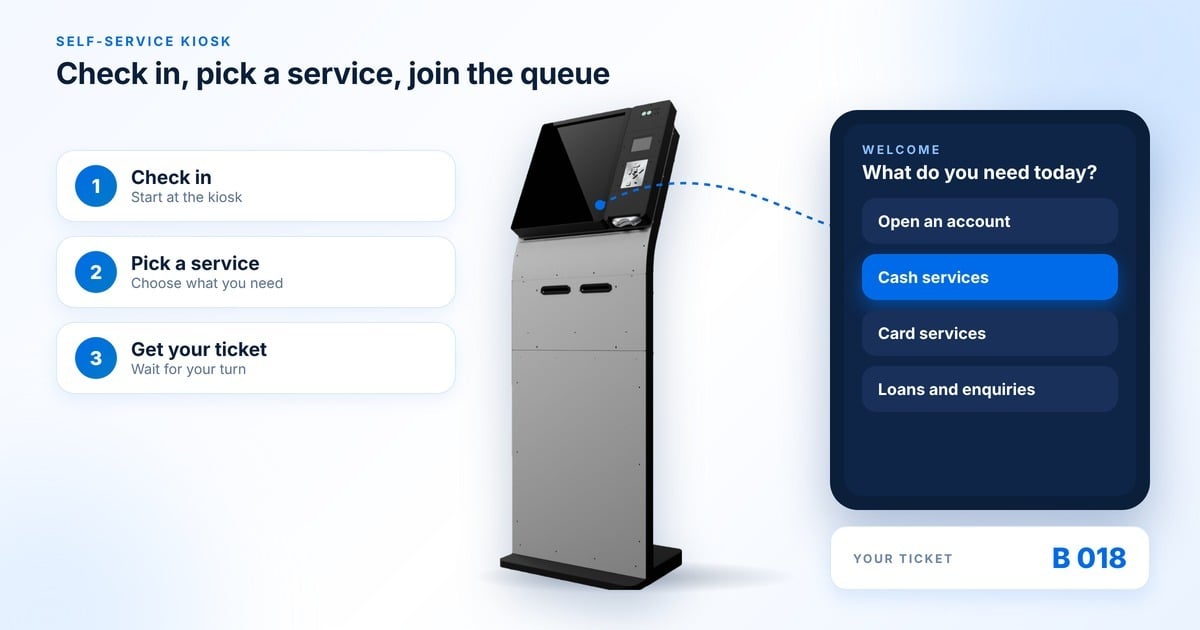
Software decides who is next; hardware decides how people join. Wavetec’s self-service kiosks are customizable in hardware and application, and are described as integrating with third-party apps and back-end systems. In its Commercial Bank International project, Wavetec used M-18 Self-Service Kiosks; bank-card readers there identify eligible priority customers at check-in and route them into the right service flow.
Digital Signage
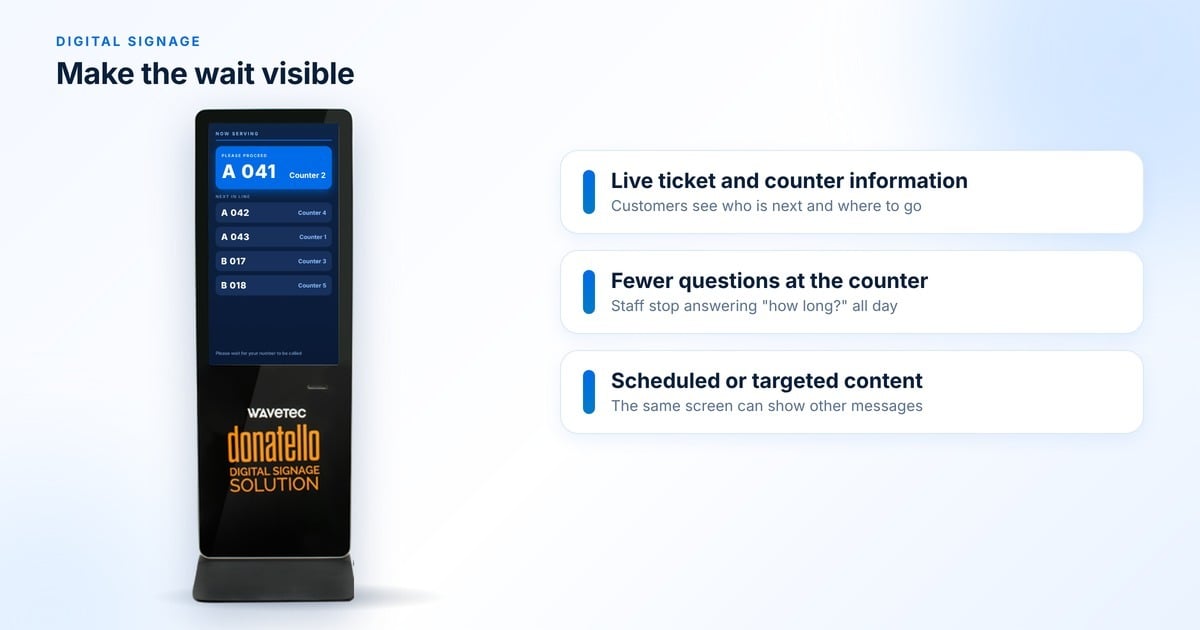
Screens turn dead time into information. The Donatello digital signage range includes the Donatello Media Player for building screen layouts and Donatello Vertica, a free-standing large-format display. Wavetec reports that showing real-time queue information on screens cuts perceived wait times by up to 35%; measure it in your own pilot.
People Counting and Live Monitoring
Where occupancy limits or crowd control matter, Wavetec SafeQ people counting counts entries and exits with 3D imaging, sends automatic alerts when occupancy limits are exceeded and, per Wavetec, is GDPR compliant and protects the anonymity of customer data. For live floor management, Lobby Leader puts queue, wait-time and service-time figures on one live dashboard.
Want to see the scorecard criteria running in one branch, from kiosk to dashboard?
Step 5: Make Sure You Can Measure and Listen
Wavetec Spectra is Wavetec’s queuing software. The product page says it powers online appointments, virtual and mobile queuing, WhatsApp queuing, web and SMS tickets and customer feedback, with real-time monitoring and reporting. Wavetec’s queue management page lists wait time, service time, abandonment, throughput, CSAT and SLA attainment as tracked KPIs, with reports that compare branches and services. Our guide to queue management analytics explains what each KPI tells you.
Pair analytics with the voice of the customer. Opinion Plus is Wavetec’s customer feedback product: it builds surveys from templates, raises real-time alerts when experience issues appear, and feeds results into Spectra dashboards. Numbers tell you where the queue broke; feedback tells you why.
Step 6: Decide on Cloud or On-Premise
Wavetec’s queue management is offered as multi-tenant cloud or on-premises. Cloud suits fast rollout and central control across many sites; on-premises suits organizations with strict data-residency or network rules. Your regulator and IT policy usually decide this, not preference. We compare both in detail in cloud versus on-premise queue management.
Step 7: Check Security, Governance and Accessibility
A QMS handles names, phone numbers and sometimes identity or card data, so treat it as a data system. Ask every vendor for the following in writing:
- Access control: role-based access and SSO. Wavetec states that both its cloud and on-premises options support role-based access, audit logs, encryption in transit and data-retention controls.
- Audit trail: who viewed or changed what, and for how long logs are kept.
- Data minimization: collect only what service needs, and set retention periods. Wavetec’s security guide covers the controls to request; read it in queue management system security.
- Certifications: ask for current certificates and report dates rather than relying on a web page. For reference, Wavetec is ISO 9001:2015 certified, holds ISO/IEC 27001:2022 certification, and is SOC 2, GDPR and HIPAA compliant.
- Accessibility (ADA and local equivalents): ask how kiosks, apps and screens support users with disabilities, including reach height, screen contrast, audio prompts and language options, and request a written accessibility statement measured against the ADA and WCAG. Wavetec offers ADA-compliant kiosk models and supports WCAG requirements.
Governance matters most when AI enters the picture, which is the next step.
Step 8: Ask Where AI Fits
Ask any vendor what AI does today and what is on a roadmap. Wavetec’s AI products are the Nexia family; separately, Spectra 2.0 adds forecasting and simulation through its AI Traffic Forecasting module. Wavetec Nexia Reports is available today: a user describes a question in plain language and Nexia creates the report, dashboard or visual analysis with an explanation, built on a governed layer that joins Wavetec queue, appointment and feedback data with enterprise systems. Wavetec positions it as a complement to Power BI or Tableau, not a replacement.
Wavetec Nexia Consultant is also released. It is designed to turn a business objective into tested recommendations, using forecasts and simulation and returning a plan with expected impact, trade-offs and risks. Nexia Journeys and Nexia Avatar are on Wavetec’s roadmap: Journeys is designed to coordinate the customer, staff and systems around the next step, and Avatar is designed as a voice and digital guide in Arabic and English with human handoff. Across the family, Wavetec lists role-based access, audit, approved tools and human approval as governance controls.
Use that as your benchmark: AI should explain its answers, leave an audit trail and keep a human in control. Our article on the AI queue management system goes deeper on prediction.
Step 9: Check Fit for Your Industry
| Industry | What the queue must handle | Where to start |
|---|---|---|
| Banking | Priority customers, multiple service types, many branches | Banking solutions |
| Healthcare | Appointments, departments and patient flow | Healthcare solutions |
| Government | High volumes, appointments and multi-step visits | Government solutions |
| Telecom | Retail stores, SIM and service queues, kiosks | Telecom solutions |
| Retail | Peak-hour crowds, QR queuing, walk-in plus bookings | Retail solutions |
Proof From Live Deployments
- BBVA Peru, 278 branches. BBVA deployed the Spectra cloud-based queue system to fix long waits, fragmented customer flows and missing real-time visibility. Average wait times fell by about 35%, abandonment fell by 57% and uptime reached 99.93% across the network.
- Commercial Bank International, UAE. Wavetec deployed Spectra QMS across six UAE branches, replacing a legacy queue system, with M-18 kiosks, Donatello signage, counter displays, staff calling applications, LDAP single sign-on and a central reporting layer.
- Schenectady County DSS, USA. The department serves more than 10,000 residents a month across 12 service departments. Linking appointments to automated confirmations and notifications cut no-shows by 30%.
- Ministry of Health and Prevention, UAE. Wavetec designed and installed a patient flow system integrated with the ministry’s back end, with online booking, ticketing kiosks that scan a booking barcode, digital signage and step-by-step visa workflows. The case study states that customer complaints drastically reduced after deployment.
As Tobias Bessone, Deputy CEO of Wavetec, put it in the Federal Authority for Identity and Citizenship case study: “For us, a customer is not just a number. We aim to help our clients deliver personalised, one of a kind services to their customers by understanding their needs, and catering to them with consistent and improved service flows.”
Step 10: Run the Selection Like a Project
- Shortlist three vendors using the scorecard, and ask for references in your industry and region.
- Demo against your own scenarios, such as a priority customer, a no-show and a rescheduled booking.
- Pilot one site and measure wait time, abandonment and staff feedback before rollout. Our implementation guide covers the rollout steps.
- Plan the partnership: agree support hours, upgrade paths and who owns reporting. Our review of the best queue management systems lists how leading vendors compare.
Frequently Asked Questions
Ready to Choose? Start With a Demo
The right queue management system fits how your customers arrive, proves its results with named clients and keeps your data governed. Shortlist against the scorecard, pilot one site, and let the numbers decide.
Prefer to see the numbers first? Estimate your return with the ROI calculator.
About the author: Abdullah Faisal is a Marketing Executive at Wavetec.
About Wavetec: Wavetec is a customer experience technology company headquartered in Dubai that designs and delivers queue management, self-service kiosks, digital signage and analytics. Since 1986 it has deployed more than 30,000 systems in 80+ countries from 11 regional offices, for 160+ enterprise clients and 500+ public sector and SME clients. Learn more about Wavetec.