Queue management system integration connects queuing software with enterprise platforms like CRM, healthcare information systems (HIMS), and core banking systems. Using APIs and middleware, data flows seamlessly between systems, enabling real-time customer identification, personalized service routing, and automated workflows.
Modern customer experience depends on connected systems.
- A customer walking into a bank branch expects the teller to know their name, account history, and recent interactions.
- A patient checking in at a hospital wants registration to be fast, with no repeated form filling.
- A retail shopper expects loyalty points to be recognized instantly at the service counter.
Behind these seamless experiences lies a critical capability: integration. Queue management systems do not operate in isolation. They work alongside CRM platforms, healthcare information management systems (HIMS), and core banking systems.
When these systems are disconnected, data silos form.
- Staff cannot access customer information.
- Service is slow.
- Personalization is impossible.
- Manual data entry creates errors and delays.
Queue Management System Integration solves these problems by connecting queuing software with enterprise systems through APIs and middleware. This integration enables real-time data exchange, automated workflows, and unified customer journeys.
Wavetec provides integration-ready queue management solutions that connect seamlessly with CRM, HIMS, and core banking platforms. This article explains how integration works, its benefits, and real-world applications across industries.
What Is Queue Management System Integration?
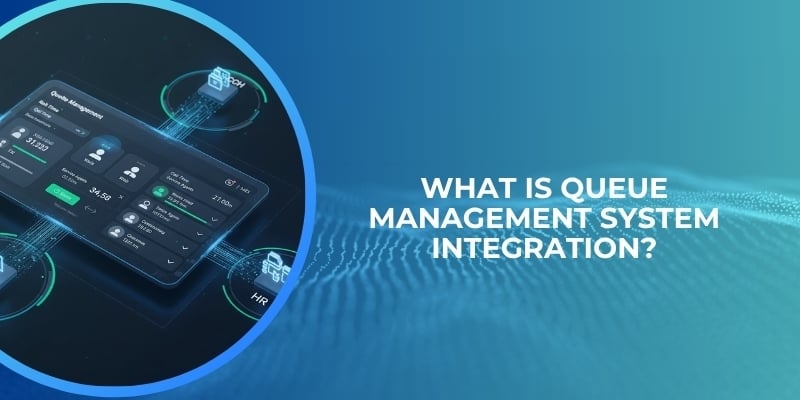
Queue management system integration is the process of connecting queuing software with other enterprise systems such as customer relationship management (CRM), healthcare information systems (HIMS), core banking platforms, appointment scheduling tools, and digital signage networks.
The goal is to enable seamless data flow between systems so that customer information is shared in real time, service workflows are automated, and staff have complete visibility into customer history and needs.
Integration is typically achieved through Application Programming Interfaces (APIs) or middleware layers. APIs are sets of protocols that allow different software applications to communicate with each other.
A queue management system might use an API to fetch customer data from a CRM when a person checks in at a kiosk. Middleware acts as a translator between systems that use different data formats or communication protocols, ensuring smooth interoperability.
The importance of connecting multiple enterprise systems is crucial. In a disconnected environment, customer data is scattered.
- The CRM has contact information and service history.
- The core banking system has account balances and transaction records.
- The queue system knows only the customer’s ticket number.
- Staff must ask for information that already exists elsewhere, wasting time and frustrating customers.
Integration unifies these data sources, creating a single view of the customer across all touchpoints.
Unified data and workflows bring several benefits.
- Staff can greet customers by name before they even reach the counter.
- Service routing can be personalized based on customer value or needs.
- Wait times can be predicted more accurately using historical data.
- Manual data entry is reduced, cutting errors and administrative overhead.
For organizations with multiple branches or departments, centralized visibility becomes possible. A regional manager can see queue performance and customer flow across all locations from one dashboard.
The role of APIs in this process is essential. Modern queue systems are built with API-first architectures, meaning they expose their functionality through well-documented interfaces. This allows other systems to check queue status, add customers to queues, retrieve wait time estimates, and receive notifications when a customer’s turn arrives.
In banking, for example, APIs enable a CRM to push VIP customer data to the queue system, ensuring priority routing. In healthcare, APIs allow HIMS to send patient appointment details to the queue system, triggering automated check-in workflows.
For a deeper understanding of how APIs enable digital banking transformation, see this article on the role of APIs in streamlining digital banking services.
Why Integration Is Critical for Modern Customer Experience Systems
Integration is not a nice-to-have feature. It is a basic requirement for delivering modern customer experiences. Several factors drive this necessity.
- First, customers expect real-time data access. When they walk into a branch or clinic, they do not want to repeat information they have already provided online or over the phone. They expect staff to know who they are and why they are there. This requires the queue system to pull data from CRM, HIMS, or core banking systems instantly. Without integration, staff must ask for identification and search multiple systems manually, creating wait times and frustration.
- Second, integration improves service speed and accuracy. Manual data entry is slow and error prone. When a customer checks in at a kiosk, the system can automatically retrieve their record using a membership number, phone number, or scanned ID. The staff member receiving the customer sees pre-populated information, eliminating typing mistakes. Transactions complete faster because no time is wasted on data lookups.
- Third, integration eliminates manual data entry across the organization. When a customer updates their address online, that change should reflect immediately in the queue system, CRM, and core banking platform. Staff should not have to update the same information in three different places. Automated synchronization ensures data consistency and reduces administrative burden.
- Fourth, integration enables personalized customer experiences. A queue system that knows a customer’s purchase history, loyalty tier, or medical conditions can route them to the most appropriate service point. VIP customers can be prioritized. Patients with specific needs can be directed to specialized staff. Promotional offers can be displayed on digital signage based on customer segments. Personalization drives loyalty and satisfaction.
In short, disconnected systems create friction. Integrated systems create flow. Organizations that invest in integration deliver faster, smarter, and more personal service than those that operate in silos.
For more on building personalized experiences, see this article on personalized customer experience.
Integration with CRM Systems
Customer Relationship Management (CRM) systems are the backbone of sales and service operations. They store customer contact information, interaction history, purchase records, support tickets, and preferences.
Integrating a queue management system with a CRM unlocks powerful capabilities for service personalization and efficiency.
- When a customer checks in at a queue kiosk, the system can query the CRM using their phone number, loyalty card, or ID scan.
- Within seconds, the CRM returns relevant data: the customer’s name, tier status, past issues, and any flags such as “VIP” or “requires manager attention.”
- The queue system uses this data to route the customer appropriately.
- A VIP customer might be directed to a dedicated priority queue.
- A customer with an unresolved complaint might be routed to a senior agent.
The integration works in both directions. When a customer completes service, the queue system can update the CRM with notes about the interaction, such as wait time, service duration, and outcome. This closed-loop data flow gives a complete view of the customer journey, from pre-visit to post-service.
CRM integration also supports proactive service. If a CRM knows that a customer has an appointment, it can automatically add them to the queue system before they arrive. When they check in, they go directly to the front of the line. If a customer has a history of long wait time complaints, the queue system can flag them for priority treatment.
Queue‑management vendors for banks report that CRM‑linked QMS can automatically route high‑value or VIP customers to priority queues in over 90% of premium‑banking setups, based on CRM tiers and product‑holdings.
This capability directly impacts customer satisfaction and retention. High-value customers feel recognized and valued, while standard customers benefit from reduced congestion as VIPs are handled separately.
In addition to routing, CRM integration enables personalized messaging. Digital signage in the waiting area can display welcome messages with the customer’s name. Staff dashboards can show the customer’s preferred language, communication channel, or known issues. This personalization builds rapport and trust.
For organizations using Wavetec queue management, CRM integration is available through REST APIs and pre-built connectors for popular platforms such as Salesforce, Microsoft Dynamics, and HubSpot.
The integration supports bidirectional data flow, real-time synchronization, and configurable routing rules based on CRM fields.
Integration with HIMS / HMIS in Healthcare
Healthcare environments present unique challenges for queue management. Patients arrive with appointments, walk-ins, urgent needs, and different levels of medical complexity.
Healthcare Information Management Systems (HIMS) or Hospital Management Information Systems (HMIS) store patient demographics, appointment schedules, medical histories, insurance details, and treatment plans. Integrating a queue system with HIMS is essential for efficient patient flow.
- When a patient checks in at a hospital or clinic, the queue system queries the HIMS using their national ID, appointment number, or name.
- The HIMS returns the patient’s record, including their scheduled appointment time, doctor, department, and any special requirements such as wheelchair access or isolation protocols.
- The queue system uses this data to route the patient to the correct service point.
For example, a patient with a scheduled appointment goes directly to the doctor’s queue, while a walk-in patient enters a general queue.
The integration reduces check-in time dramatically. Instead of staff typing patient information manually, scanning a QR code from an appointment confirmation can retrieve the entire record in seconds.
Hospital‑queue case studies (e.g., PITB–HMIS integration) report that QMS linked to HIMS/HMIS modules reduces average check‑in time by 35–40%, because records are auto‑fetched when the patient token is scanned. This time saving benefits both patients and staff. Patients wait less. Staff handle more patients per hour.
Integration also improves clinical workflows. When a patient moves from registration to consultation to lab to pharmacy, the queue system tracks each step and updates the HIMS.
- The doctor sees that the patient has checked in.
- The lab sees that the patient is en route.
- The pharmacy sees that the prescription is ready.
This visibility reduces bottlenecks and ensures that no step is missed.
For emergency departments, integration is even more critical. HIMS data on patient acuity (e.g., triage scores) can be used to prioritize queues automatically. A patient with chest pain is routed ahead of someone with a minor injury, even if the latter arrived first. This clinical prioritization saves lives.
Wavetec queue management integrates with major HIMS platforms including Epic, Cerner, Meditech, and custom-built hospital systems. The integration supports HL7 and FHIR standards commonly used in healthcare, ensuring compliance with data exchange protocols.
For more on healthcare queue challenges, see this article on why hospital queues are so long and key elements for efficient patient check-in.
Integration with Core Banking Systems
Core banking systems are the central record-keeping platforms for financial institutions. They store account balances, transaction histories, customer profiles, loan details, and product holdings.
Integrating a queue management system with core banking enables branch staff to serve customers faster and more personally.
When a customer checks in at a bank branch, the queue system can integrate with the core banking system using the customer’s debit card, account number, or ID. The core system returns customer data including name, account type, recent transactions, and any flags such as “requires teller approval” or “preferred customer.”
The queue system uses this data to route the customer to the appropriate teller or specialist.
- A customer needing a simple cash withdrawal goes to a general teller.
- A customer with a complex mortgage question is routed to a loan officer.
Integration also supports transaction efficiency. When a teller calls the next customer, the queue system can pre-fetch the customer’s account information from the core system and display it on the teller’s screen. The teller does not need to ask for an account number or ID card. This shaves seconds off each transaction, which adds up to hours over a day.
Core banking integration enables personalized cross-selling. If the core system shows that a customer has a high balance in a low-interest account, the queue system can trigger a digital signage message promoting a higher-yield savings product during their wait. The teller can also see the same opportunity and mention it during the service interaction.
For prioritized service, the core system can identify high-value customers based on account balances or product holdings. The queue system can route these customers to a dedicated premium counter or give them priority in the general queue. This ensures that the most valuable customers receive the fastest service, improving retention and lifetime value.
In some implementations, core banking integration also supports cash management. The queue system can track teller cash levels and automatically route customers to tellers with sufficient cash for large withdrawals. This prevents the frustration of waiting in line only to be told that the teller cannot complete the transaction.
Wavetec queue management integrates with core banking systems such as Temenos, Fiserv, FIS, Jack Henry, and many others. The integration supports both real-time APIs and batch data synchronization, depending on the bank’s infrastructure.
For more on personalization in banking, see this article on personalized customer experience.
Key Features of Integrated Queue Management Systems
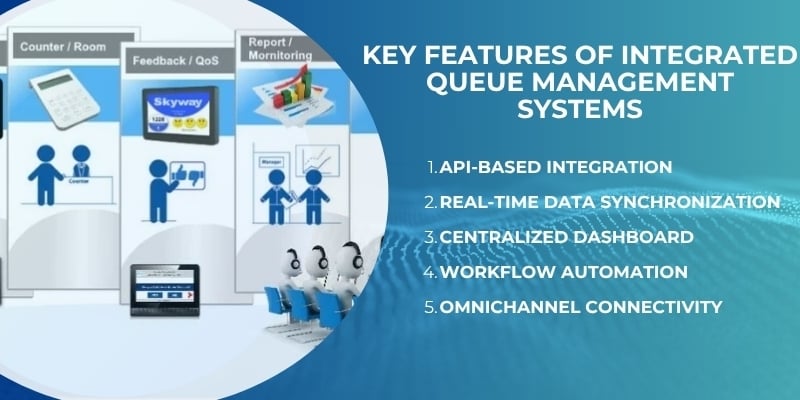
Integrated queue management systems include several features that enable seamless connectivity with enterprise platforms. These features work together to create unified, automated service environments.
API-Based Integration
APIs are the technical foundation of modern system integration. A queue management system with robust APIs allows other systems to read queue status, add customers, update service times, and receive notifications.
APIs are RESTful, well-documented, and secure, supporting OAuth authentication and encrypted data transmission. This enables organizations to build custom integrations with any system that exposes APIs.
Real-Time Data Synchronization
Data must flow between systems instantly, not in batch updates. When a customer checks in, the CRM or core banking system should be updated immediately. When an appointment is booked online, the queue system should reflect it within seconds.
Real-time synchronization prevents data mismatches and ensures that staff always work with current information.
Centralized Dashboard
A single dashboard gives managers visibility into queue performance, system health, and integration status across all connected platforms.
They can see which systems are connected, whether data is flowing correctly, and where errors have occurred. Centralized monitoring simplifies troubleshooting and reduces downtime.
Workflow Automation
Integration enables automated workflows that reduce manual effort. For example, when a patient books an appointment online, the integration can automatically create a queue entry, send a confirmation SMS, and notify the doctor’s schedule.
When a VIP customer checks in, the system can automatically notify a manager and reserve a premium service counter. Automation eliminates repetitive tasks and speeds service delivery.
Omnichannel Connectivity
Modern queue systems connect digital and physical channels. A customer can join a queue via mobile app, receive wait time updates by SMS, check in at a kiosk, and be served in person.
Integration with CRM, HIMS, and core banking ensures that customer data follows them across channels. This omnichannel connectivity is essential for seamless customer journeys.
For more on this topic, see articles on omnichannel customer experience and WhatsApp API benefits.
Benefits of Integration Across Systems
Organizations that integrate their queue management systems with enterprise platforms realize multiple benefits that directly impact operations and customer satisfaction.
- Faster service delivery is the most immediate benefit. Staff spend less time searching for customer data and more time serving. Check-in times drop from minutes to seconds. Transaction times decrease because information is pre-filled. Customers move through the service journey faster.
- Improved accuracy results from eliminating manual data entry. When customer information is pulled directly from CRM or core banking systems, there is no risk of typos or misread ID numbers. Service records are complete and consistent across systems.
- Enhanced customer experience follows from personalization and speed. Customers feel known and valued when staff greet them by name and understand their needs. Short wait times and fast service increase satisfaction and loyalty.
- Reduced manual workload frees staff to focus on high-value interactions. Instead of typing data into multiple systems, they can spend time solving customer problems, cross-selling products, or providing empathy. Staff burnout decreases as administrative burden lifts.
- Better decision-making becomes possible with unified data. Managers can analyze queue performance alongside customer satisfaction, sales conversions, and service outcomes. They can identify which service types cause the longest delays, which branches need more staff, and which integration points fail most often.
Integration Capabilities in Wavetec Solutions
Wavetec provides queue management systems designed for enterprise integration from the ground up. The platform supports connections with CRM, HIMS, core banking systems, and other enterprise software through multiple integration methods.
Wavetec offers RESTful APIs for real-time data exchange. These APIs cover all core queue functions: customer check-in, ticket generation, queue status, wait time estimates, service completion, and customer feedback. The APIs are documented with examples and tested with major enterprise systems.
For organizations that prefer pre-built connectors, Wavetec provides integration modules for popular CRM platforms such as Salesforce, Microsoft Dynamics, and Zoho. Healthcare integration supports HL7 and FHIR standards, enabling connections with Epic, Cerner, and other HIMS platforms. Banking integration includes connectors for Temenos, Fiserv, FIS, and core banking APIs.
Wavetec also supports middleware-based integration for legacy systems that do not offer modern APIs. The queue system can exchange data through message queues, file transfers, or database connections, with transformation logic handled by middleware.
Centralized customer journey management is a key benefit of Wavetec integration. The platform aggregates data from queue systems, appointment booking, digital signage, and self-service kiosks, then synchronizes it with enterprise systems. This creates a single source of truth for customer interactions across all channels.
Real-time data access and reporting are built into the platform. Managers can see live queue data alongside CRM customer segments, HIMS patient acuity scores, or core banking account values. Reports can be exported and shared across departments.
For more on Wavetec capabilities, see articles on multi-channel customer journey and the difference between queue management vs appointment scheduling.
Case Study – Integrated Queue Management in Healthcare
In high-volume, multi-department service environments similar to healthcare institutions, organizations must manage complex customer journeys that involve multiple steps and departments.
The Ministry of Commerce in Saudi Arabia faced a comparable challenge, where visitors required services such as document verification, approvals, and follow-up processing across different counters.
Like hospitals and clinics, these environments demand seamless coordination between service points, real-time visibility into customer progress, and minimal repetition of information.
Delivering a smooth, connected experience required an integrated approach rather than isolated queue systems.
Challenges
The organization struggled with fragmented service delivery across departments. Customers had to move between counters without a unified system tracking their journey, leading to repeated data entry and lack of continuity.
Delays were common as there was no centralized visibility into customer flow or service status. Each department operated independently, making it difficult to coordinate handoffs or prioritize urgent cases.
The absence of system integration also meant that staff could not access complete customer information at each step.
This resulted in longer service times, operational inefficiencies, and increased customer frustration; challenges very similar to those faced in healthcare environments where patients move between registration, consultation, and diagnostic services.
Solution
Wavetec implemented an integrated queue management system combining linear, virtual, mobile, and WhatsApp-based queuing capabilities.
The system connected multiple service points into a unified workflow, enabling customers to move seamlessly between departments under a coordinated journey. Real-time data sharing ensured that each service point had visibility into the customer’s previous steps and pending actions.
By integrating digital and physical channels, customers could join queues remotely, receive updates, and proceed through service points without restarting the process.
Staff dashboards provided centralized monitoring, allowing managers to track performance, identify bottlenecks, and optimize service flow.
This integrated approach reflects how queue management systems can work alongside enterprise platforms in healthcare settings, ensuring that patient data, appointments, and service steps are synchronized across departments.
Results
The implementation significantly improved service coordination and operational efficiency.
- Customer journeys became more structured, with smoother transitions between service points and reduced need for repeated information.
- Wait times decreased as bottlenecks were identified and addressed in real time. Staff were able to serve customers more efficiently, supported by complete visibility into each interaction.
- Overall service performance improved through better tracking and coordination, while customer satisfaction increased due to faster, more predictable experiences.
This case demonstrates how integrated queue management can transform fragmented, multi-step service environments into seamless journeys; an approach directly applicable to modern healthcare systems managing patient flow across multiple departments.
Challenges in System Integration
Implementing integration between queue systems and enterprise platforms is not without obstacles. Organizations should anticipate these challenges and plan accordingly.
- Compatibility issues arise when systems use different data formats, protocols, or versions. Legacy systems may not offer modern APIs, requiring middleware or custom adapters. Proprietary systems may have limited documentation, making integration difficult. Organizations should assess integration requirements before selecting a queue management vendor.
- Data security concerns are paramount, especially in healthcare and banking where patient and financial data are regulated. Integration points must be secured with encryption, authentication, and access controls. Data should be masked or anonymized where possible. Compliance with regulations such as HIPAA, GDPR, and PCI DSS must be maintained.
- Integration complexity increases with the number of systems connected. Each additional integration adds points of failure and testing requirements. Organizations should start with critical integrations and expand gradually. Using an integration platform or middleware can reduce complexity.
- System downtime risks exist during integration implementation. Changes to systems can cause temporary outages if not managed carefully. Organizations should schedule integration work during low-traffic periods, have rollback plans, and thoroughly test in staging environments before production deployment.
Future of Queue Management System Integration
The future of queue management integration will be shaped by artificial intelligence, cloud platforms, and deeper connectivity across channels.
- AI-driven integrations will use machine learning to optimize data flows and routing decisions. The system will learn which integration paths are most reliable and adjust automatically. AI will also predict integration failures before they occur, triggering proactive maintenance.
- Real-time predictive analytics will combine data from queue systems, CRM, HIMS, and core banking to forecast customer arrival patterns, wait times, and service demand. This will enable proactive staffing and resource allocation, reducing delays before they happen.
- Cloud-based integration platforms will replace point-to-point connections. Instead of building custom integrations between each pair of systems, organizations will connect all systems to a central integration hub. This hub will handle data transformation, routing, and monitoring, simplifying management and reducing costs.
- Deeper omnichannel connectivity will blur the lines between digital and physical service channels. A customer will be able to join a queue via mobile app, receive wait time updates through SMS, check in at a kiosk, and complete service in person, with all systems synchronized in real time. Integration will be invisible but essential.
FAQs
What is queue management system integration?
Queue management system integration is the process of connecting queuing software with other enterprise systems such as CRM, healthcare information systems, and core banking platforms. It enables real-time data sharing, automated workflows, and unified customer views across all touchpoints.
How does CRM integration improve queue systems?
CRM integration allows the queue system to access customer data including name, tier status, purchase history, and service flags. This enables personalized routing, VIP priority, and tailored messaging. It also updates the CRM with service outcomes, creating a complete customer journey record.
What is HIMS integration in healthcare?
HIMS integration connects the queue system with hospital information management systems. It enables automatic patient record retrieval at check-in, reduces manual data entry, and improves care coordination across departments such as registration, consultation, lab, and pharmacy.
How do banks use integrated queue systems?
Banks use integrated queue systems that connect with core banking platforms to identify customers based on account data, route VIPs to priority counters, pre-fetch account information for tellers, and enable personalized cross-selling based on transaction history.
Why is system integration important for customer experience?
Integration is important because it eliminates data silos, reduces manual work, speeds service delivery, and enables personalization.
Customers do not have to repeat information across channels, and staff have complete visibility into customer history, leading to faster, more accurate, and more satisfying interactions.
Conclusion
Integrating queue management systems with CRM, HIMS, and core banking platforms is essential for modern customer experience.
Disconnected systems create data silos, manual work, slow service, and frustrated customers. Integration solves these problems by enabling real-time data sharing, automated workflows, and unified customer views.
The benefits are clear:
- Faster check-in
- Reduced wait times
- Personalized service
- Higher satisfaction
- Lower operational costs
Wavetec provides integration-ready queue management solutions with robust APIs, pre-built connectors, and support for healthcare and banking standards.
Organizations that invest in integration position themselves to deliver seamless, efficient, and personal service across all channels. The future of customer experience is connected, and integration is the foundation.
BOOK A FREE DEMO