A virtual queue system lets customers wait in line digitally instead of standing in a physical line or staying on hold. Customers join a virtual queue through SMS, a web link, a mobile app, or a kiosk, then receive updates and a notification when it’s their turn.
If you’re asking what virtual queuing is in customer service, it’s a way to reduce congestion, improve service flow, and make waiting more convenient. Virtual queuing also helps businesses manage demand, allocate staff better, and reduce customer frustration – especially during peak hours.
In this guide, you’ll learn the virtual queue meaning, how virtual queuing works step by step, the best types of virtual queues, key features, and best practices for implementing queuing services successfully.
Virtual Queue Meaning (Simple Definition)
Virtual queue meaning: A virtual queue is a digital waiting line where customers hold their place remotely and receive real-time updates until it’s time to be served.
What is a Virtual Queue in Customer Service?
A virtual queue in customer service is a digital line that allows customers to wait without physically standing in a queue or staying on hold. Instead of crowding a service counter, customers join remotely and receive a message when they’re close to the front of the line.
Virtual customer queuing is used in high-demand environments because it improves customer experience while helping businesses manage service capacity. It reduces crowding, prevents line-cutting disputes, and gives teams better visibility into demand and staffing needs.
Virtual waiting in customer service offers numerous benefits over traditional systems:
- Convenience for Customers: Virtual queuing systems prioritize customer convenience. Customers can wait in a location of their choice and keep their place in line, allowing them to spend their time productively rather than physically standing or being on hold.
- Reduced Congestion: Especially valuable in industries like healthcare, where crowded waiting rooms can pose health risks, virtual queues help manage and reduce foot traffic. This approach ensures that facilities and stores maintain a smooth flow of visitors and reduce congestion in high-traffic areas.
- Better Customer Flow Management: Virtual queuing for customer interactions provides a controlled, orderly way for businesses to manage customer interactions. Service staff can see the volume of waiting customers in real-time, allowing them to plan resources more effectively and reduce bottlenecks.
Industries commonly using virtual waiting rooms for customer service include:
- Retail: Many retail stores have implemented virtual queuing to improve the shopping experience. Customers can join a queue for personalized assistance, such as product recommendations or checkout, without crowding at counters.
- Healthcare: Hospitals and clinics use virtual queuing to schedule patients and manage walk-ins. Allowing patients to check in digitally reduces waiting room traffic, creates a safer environment, and improves the overall experience.
- Call Centers: Customer support centers use virtual queues to allow callers to hold their place in line without staying on the line. Instead, they can receive a callback, freeing them to continue with other tasks while they wait.
Virtual queuing in customer service aligns well with today’s customer expectations of flexibility and convenience, positioning businesses as proactive and customer-centric.
How Does Virtual Queuing Work?
Virtual queuing operates through a digital platform that organizes customers into a line and remotely communicates their position.
The system integrates digital touchpoints—like mobile apps, websites, text messaging, and kiosks—allowing customers to enter, track, and manage their queue status.
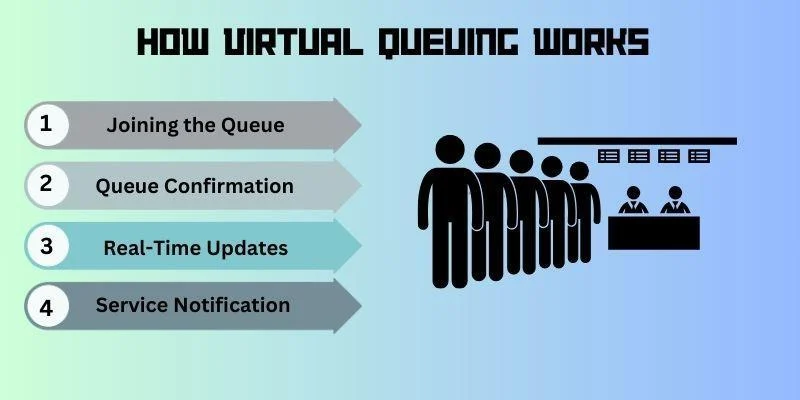
Here’s how a virtual queuing system typically functions:
- Joining the Queue: Customers initiate the process by choosing a channel to join the queue. This can be through a mobile app, a web portal, SMS, or a physical kiosk. Upon entering, they are assigned a spot in line and receive confirmation with an estimated wait time.
- Queue Confirmation: The customer’s position in the queue is secured after joining. The system sends an immediate notification (often via text or app alert) confirming their place and an approximate wait time. This step assures customers they will keep their spot, helping reduce frustration.
- Real-Time Updates: As customers wait, the virtual queue system provides periodic updates about their position in line. This feature may include updates on wait time, notifications on expected wait duration changes, and alerts when their turn is near. Real-time updates keep customers informed and boost their overall experience.
- Service Notification: When it’s a customer’s turn, they receive a final notification instructing them to proceed with service. This may be a call-back or an alert directing them to a specific location. For example, a retail customer might be informed to approach a specific counter or a healthcare patient may be directed to a designated examination room.
Example: In retail, a shopper can join a queue for assistance while browsing other products. When their turn arrives, they receive a notification to proceed to a specific section, ensuring a smooth service experience without disrupting their shopping.
Virtual queuing uses digital platforms that integrate with existing customer management tools, such as CRM systems, to provide personalized service experiences.
When using customer data and queue analytics, businesses can further heighten service efficiency, prepare agents before each interaction, and address customer needs more accurately.
Types of Virtual Queues
Different virtual queuing systems cater to varied business needs and customer preferences. When choosing the right type of virtual queue, companies can optimize service efficiency and increase customer satisfaction. Here are the main types of virtual queues:
1. Appointment-Based Queues
Customers schedule a specific time slot in an appointment-based virtual queue in advance, ensuring a predictable and structured experience. This queue type is ideal for services that benefit from pre-scheduled visits, such as healthcare and consulting.
- Example: A healthcare clinic uses an appointment-based virtual queue to allow patients to select a time slot for their appointment. Patients receive reminders and can check their position online, minimizing the need to wait in the clinic and reducing waiting room congestion.
Appointment-based queues add convenience and allow staff to prepare for each appointment, leading to a more organized service flow.
2. Walk-In Queues
Walk-in queues are designed for customers who show up without a prior appointment. The system adds these customers to a virtual line and provides an estimated wait time.
This is especially beneficial in high-traffic settings where customers may come and go frequently, such as restaurants, retail stores, or urgent care facilities.
- Example: At a busy restaurant, diners can join a virtual walk-in queue through the restaurant’s app or website, receive an estimated seating time, and be free to explore nearby areas until their table is ready. They receive a notification when it’s their turn, preventing them from standing in a crowded waiting area.
3. Hybrid Queues
Hybrid queues combine elements of both appointment-based and walk-in queues, providing flexibility for businesses and customers alike. This approach suits companies that offer scheduled services and accommodate spontaneous visits, such as service centers and salons.
- Example: At a car service center, customers can book appointments for specific services, while others may walk in for quick check-ups or tire changes. The hybrid queue system organizes both groups, effectively allowing staff to manage scheduled and unscheduled visits with minimal overlap or delays.
Hybrid queues are ideal for businesses that balance scheduled appointments with unexpected, walk-in demand. This combination boosts customer satisfaction by accommodating a variety of needs and preferences.
4. Callback (Virtual Call Queue)
A callback queue is a type of virtual queuing used in call centers and support teams. Instead of waiting on hold, customers keep their place in line and receive a call back when an agent becomes available. This reduces abandonment and improves customer satisfaction without increasing staffing pressure.
Multiple Ways to Enter Virtual Queues
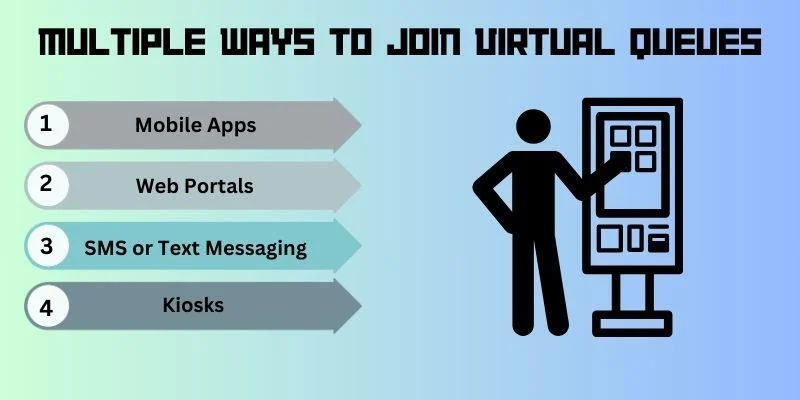
Offering multiple entry points for virtual queues allows customers to choose the most convenient option, enhancing the accessibility and usability of the system. Here are some common ways customers can enter a virtual queue:
1. Mobile Apps
Mobile apps are a popular choice for joining virtual waiting-in queue systems. They offer a memorable experience with real-time updates and reminders. With a few taps, customers can join a queue from anywhere, monitor their position, and receive notifications as their turn approaches.
- Example: A retail chain app lets customers join a queue for in-store assistance or checkout. The app provides an estimated wait time, allowing customers to continue shopping. Once their turn arrives, they receive a push notification to proceed to a designated counter.
Mobile apps are particularly effective because they offer rich functionality, allowing businesses to integrate additional services, such as customer support or exclusive promotions, into the virtual queuing experience.
2. Web Portals
Web portals provide an accessible entry point for virtual queuing for customer interaction, making it easy for customers to join a queue without downloading additional apps. This option is convenient for customers who prefer using their web browser or may not have a smartphone.
- Example: A healthcare clinic offers a virtual queue option on its website. Patients visiting the clinic’s website can quickly join a queue for various services, from consultations to lab work, and monitor their wait time from any device with internet access.
This is often the fastest way to access a virtual queue system without installing an app.
3. SMS or Text Messaging
SMS or text messaging offers a straightforward and universally accessible way for customers to enter a virtual waiting room for customer service.
Customers can text a specific keyword or number to join the queue and receive text updates, eliminating the need for an app or internet access.
This method is valuable for businesses serving a diverse customer base, including those who need to familiarize themselves with mobile apps or web portals.
- Example: A government office allows citizens to text a specific number to join a queue for various services. They receive updates on their wait time via SMS, allowing them to wait nearby until it’s their turn.
Text-based entry points are user-friendly and widely accessible, making them ideal for sectors that want to ensure maximum inclusivity in their customer service approach.
SMS is a simple queuing service that works on any phone and supports maximum accessibility
4. Kiosks
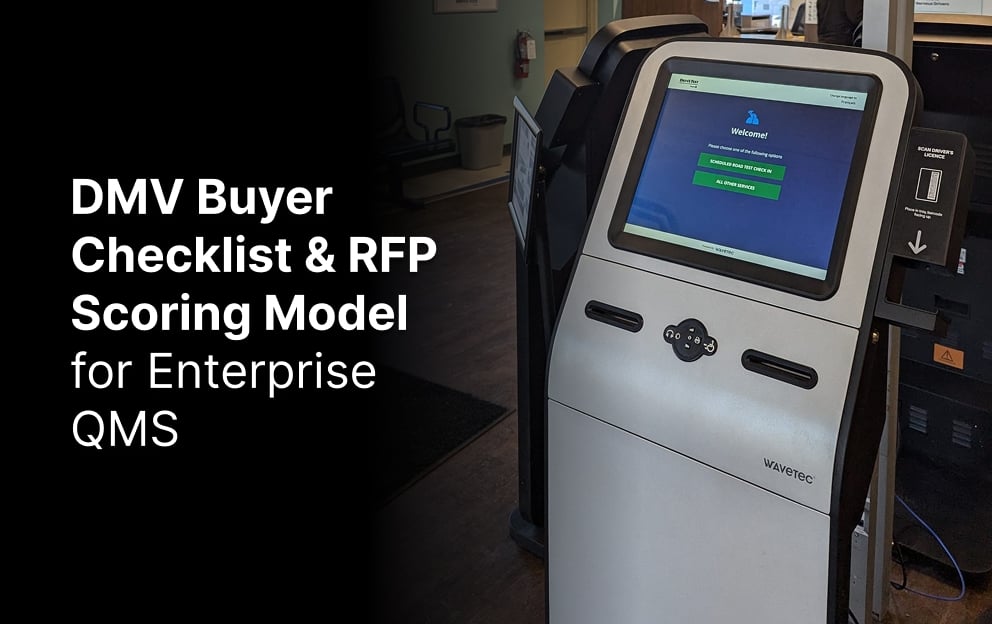
In-store kiosks provide a physical entry point for virtual queues, particularly useful in environments where customers prefer to interact with a tangible interface.
Kiosks are typically stationed at store entrances or service counters and offer an intuitive way for customers to check in and join a queue without needing their own devices.
- Example: In a busy retail store, a kiosk near the entrance allows customers to join a queue for personalized assistance. The kiosk provides an estimated wait time, and customers can browse the store. When their turn approaches, an in-store announcement or text notification directs them to the appropriate service area.
Kiosks support virtual customer queuing for walk-ins who prefer an on-site, device-free option.
Benefits of Virtual Queuing Solutions in Customer Service
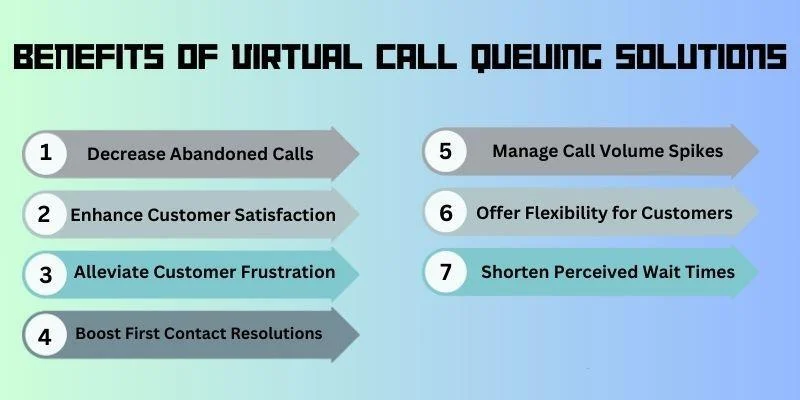
Virtual call queuing offers significant advantages for businesses and customers by reducing wait times, increasing convenience, and improving the overall quality of customer service. Here are some of the primary benefits:
1. Decrease Abandoned Calls
In traditional call centers, long wait times often lead to call abandonment, resulting in lost business and frustrated customers.
Virtual queuing minimizes this issue by holding a caller’s place in line and freeing them from waiting on the phone. With virtual queuing, customers can receive a call-back when it’s their turn, significantly reducing call abandonment rates.
- Example: A bank’s call center uses virtual queuing to manage high call volumes. When call wait times increase, the system automatically offers customers the option to receive a call-back rather than staying on hold. This approach reduces call abandonment rates, improves customer satisfaction, and allows agents to manage their workload more effectively.
2. Enhance Customer Satisfaction
Providing a more flexible and comfortable waiting experience boosts customer satisfaction. Virtual waiting in customer service allows customers to wait productively, knowing they won’t lose their place in line.
When customers can join a queue digitally and go about their day, they feel their time is respected, leading to higher satisfaction and loyalty.
- Example: Retail stores see higher satisfaction ratings when customers use virtual queues to access in-store services. Shoppers can join a queue, browse freely, and receive notifications when it’s their turn, creating a smooth and satisfying experience.
3. Alleviate Customer Frustration
Traditional lines or prolonged hold times often lead to customer frustration. Virtual queuing alleviates this by enabling customers to wait on their terms, whether at home, in a waiting room, or while running errands.
This comfort factor reduces stress, improves customer experience, and can increase the likelihood of a positive interaction.
- Example: A telecommunications provider offers a virtual queue for customer interaction, allowing customers to secure their place in line and receive updates. Customers appreciate flexibility, as they can carry on with their day while they wait.
4. Boost First Contact Resolutions
Virtual queuing can significantly improve first-contact resolution rates by allowing agents to prepare for customer interactions in advance.
Businesses can increase the efficiency and effectiveness of each interaction by giving agents access to customer information, history, and context before they engage.
Agents are better prepared to address specific customer needs, leading to quicker resolutions and a more satisfying experience.
- Example: An e-commerce company’s support center leverages virtual queuing, providing agents with each caller’s recent purchase history and any issues logged in previous interactions. This pre-call insight enables agents to solve problems quickly, increasing the chances of resolving the customer’s concern on the first contact and improving overall customer satisfaction.
5. Manage Call Volume Spikes
During peak times or unexpected call volume surges, traditional call centers may need help to keep up, resulting in long wait times and higher abandonment rates.
Virtual queuing helps manage these spikes by distributing customer interactions over a more manageable timeframe. This allows staff to handle calls more effectively, and businesses can ensure that each customer receives attentive service, even during busy periods.
- Example: An insurance company experiences increased call volume during natural disasters as customers file claims. The company manages these volume spikes using virtual queuing, enabling customers to receive timely assistance without overloading the call center. Customers join the queue, receive an estimated wait time, and receive a callback when an agent is ready.
6. Offer Flexibility for Customers
Virtual queuing provides unmatched flexibility, allowing customers to join a queue from any location—whether at home, in the office, or on the go.
This freedom allows customers to continue their day while waiting, creating a more positive waiting experience. It also increases engagement and loyalty, as customers feel they have control over how they spend their time.
- Example: A car dealership offers virtual queuing for customer interaction in its service department. Customers can join the queue remotely, check in when they arrive, and receive updates on their estimated wait time. This flexibility allows customers to drop off their car, complete errands nearby, and return when they’re notified that it’s their turn.
7. Shorten Perceived Wait Times
One of the most significant advantages of virtual queuing is its ability to reduce perceived wait times. When enabling customers to occupy their wait productively, virtual queuing minimizes the perception of wasted time.
Studies show that when customers feel they are not tied to a physical line, their perception of the wait duration decreases, making them more satisfied with the overall experience.
- Example: A theme park uses a virtual waiting room for customer service at popular attractions. Visitors can join a digital queue, receive an estimated wait time, and explore other park areas or enjoy nearby attractions while they wait. This system shortens the perceived wait and allows guests to maximize their time, creating a more enjoyable experience.
8. Improve Staffing and Service Capacity Planning
Virtual queue analytics show demand patterns by hour, day, or location. This helps teams schedule staff better, reduce bottlenecks, and improve service levels without over-hiring.
- Example: A retail bank uses virtual queuing data to track customer visits across multiple branches. Analytics reveal that Mondays and Fridays experience heavy foot traffic between 12 PM and 3 PM. The bank adjusts staffing schedules accordingly, adding more tellers during peak hours and reducing staff during quieter periods. As a result, wait times decrease, service efficiency improves, and operational costs are optimized.
9. Create a Better Customer Experience Across Channels
Virtual queuing supports consistent experiences across in-person, phone, and digital channels. Customers get the same fairness and transparency whether they’re waiting for a counter, a clinic visit, or a callback.
- Example: A healthcare provider allows patients to book appointments online, join a virtual queue via mobile upon arrival, or request a callback through the contact center. Regardless of how they enter the system, patients receive real-time updates via SMS and are routed to the appropriate department when their turn arrives. This cross-channel consistency improves satisfaction and ensures a smooth, connected service journey.
Virtual Queuing vs Traditional Queues (Key Differences)
Traditional queues force customers to wait in one place—physically in line or stuck on hold often increasing frustration and abandonment. Virtual queuing allows customers to wait remotely while keeping their place in line.
Traditional queue: crowded lines, uncertain wait time, higher frustration
Virtual queue: remote waiting, real-time updates, better service flow and satisfaction
Best Practices for Implementing Virtual Waiting
Implementing a virtual queuing system effectively requires a well-thought-out approach to ensure it aligns with business objectives and customer expectations. Here are some best practices to help businesses successfully integrate virtual waiting systems.
1. Clear Instructions
One of the foundational elements of a successful virtual queue system is clarity in instructions. Customers should understand how to join, navigate, and monitor their place in the queue. Clear, concise directions reduce confusion and frustration, allowing customers to use the system independently and confidently.
- Example: A hospital that uses virtual queues for customer interaction in its outpatient services includes a step-by-step guide on its website and sends instructions via SMS to ensure patients understand how to check in and wait. Offering clear directions minimizes confusion and creates a smoother patient experience.
2. Training Staff
For a virtual queuing system to function smoothly, staff must be well-trained to support and assist customers. This involves familiarizing employees with the system’s capabilities, troubleshooting common issues, and effectively communicating with customers unfamiliar with virtual queuing.
- Example: A government office that recently adopted virtual queuing provides comprehensive training for its staff. Employees are equipped to answer questions about the system, assist citizens in joining the queue, and help troubleshoot fundamental issues. This level of preparedness improves the overall experience for customers, as staff can guide them smoothly through the process.
3. Monitoring and Adjusting
Continuous monitoring is essential to ensure the virtual queuing system remains effective and meets customers’ needs.
When tracking key performance indicators—such as wait times, abandonment rates, and customer feedback, businesses can make informed adjustments to improve the system’s efficiency and effectiveness.
- Example: A retail chain uses analytics to monitor its virtual queuing system’s performance. When data shows that certain locations have longer wait times, the company adjusts staffing levels to ensure better service during peak hours. When constantly fine-tuning the system, the retail chain maintains high customer satisfaction across all locations.
Key Features of Effective Virtual Queue Systems
Virtual queue systems transform customer service by reducing wait times and increasing convenience. Below are some essential features that make these systems effective.
1. User-Friendly Interfaces
An intuitive design is essential for any effective virtual queue system. Easy-to-use interfaces ensure that customers can join and navigate queues without confusion, which is especially important in high-traffic or high-stress situations like healthcare or retail.
Clear instructions and a simple layout help users quickly understand how to enter and track their queue positions. This ease of use not only improves the user experience but also minimizes the need for extra support from staff, helping businesses save time and resources.
2. Multi-Channel Access
Offering multiple entry points is a crucial feature of modern virtual queuing systems. Customers can join a queue using various channels, including mobile apps, websites, or SMS. A mobile app provides a more personalized experience, with options for real-time updates and notifications.
Web access is helpful for customers who may not want to download an app, while SMS is universally accessible and easy for customers who prefer a more straightforward option. This multi-channel flexibility ensures that all customers can choose the most convenient way to join a queue.
3. Automated Updates
Automated updates in virtual queue systems keep customers informed of their queue position and wait time. These real-time notifications help reduce customer frustration by keeping them in the loop and managing their expectations.
For example, customers might receive a text alert near the front of the line or get regular updates on wait time changes. Automated reminders also prevent customers from missing their turn, adding to the overall experience and ensuring that they receive timely service.
FAQs
What does virtual queue mean?
A virtual queue means customers can wait in line digitally and keep their place remotely while receiving updates until it’s their turn.
What is a virtual queue system?
A virtual queue system is software that manages digital waiting lines through SMS, apps, web portals, kiosks, or callbacks to reduce physical lines and improve service flow.
What is virtual waiting in customer service?
Virtual waiting lets customers join a queue digitally rather than waiting in person or on hold, improving convenience and reducing frustration.
What is virtual customer queuing?
Virtual customer queuing is a digital approach to managing high service demand by letting customers wait remotely with real-time position updates.
What are queuing services?
Queuing services are tools (like virtual queues, appointment systems, and callback queues) that organize customer flow, reduce wait times, and improve customer experience.
Conclusion
A virtual queue system helps businesses manage high customer demand without forcing people to stand in physical lines or wait on hold. By enabling virtual queuing through SMS, web, apps, kiosks, or callbacks, organizations reduce congestion, improve service flow, and deliver a better customer experience.
As customer expectations continue to rise, virtual queuing solutions are becoming a core part of modern queuing services—helping teams reduce frustration, improve efficiency, and respect customers’ time.
BOOK A FREE DEMO