Updated: | 16 min read
Quick answer: Customer service tools are the software and devices a team uses to receive, track and resolve customer requests. Most teams need a ticketing system, live chat, a knowledge base, a CRM and a feedback survey. Teams that serve people in person, such as banks, hospitals and government offices, also need a queue management system, check-in kiosks and wait-time displays.
In a hurry?
- Start with three tools: a ticketing system, live chat and a knowledge base. Add a CRM once you have repeat customers.
- Entry prices sit between $19 and $25 per agent a month for most help desks (checked October 23, 2026). AI agents are often billed per resolved conversation instead.
- If customers visit a branch, clinic or counter, online tools only cover half the service. The other half is the queue, the wait and the hand-off at the counter.
Customers now expect fast answers on every channel, and they still want a person when things get complicated. In a Gartner survey of 3,566 customers run in February and March 2026, 87% said companies using generative AI for service must offer a way to reach a human agent. The right set of tools gives customers both: quick self-help and a clear route to a person.
This guide lists the customer service tools most teams use, what each one costs today, and how to choose. It also covers the tools online lists leave out: the ones that manage service at a counter, where Wavetec has deployed more than 30,000 systems in 80+ countries since 1986.
What Is a Customer Support Tool?
A customer support tool is software or hardware that helps a business receive customer requests, keep track of them and resolve them. It records who asked, what they need and who is handling it, so no request is lost between people or channels.
Customer support software usually means the digital side: help desks, chat, CRM and knowledge bases. Customer service tools is the wider term. It also covers the devices staff and customers use in person, such as ticket dispensers, self-service kiosks and counter displays.
| Type of tool | What it handles | Typical examples |
|---|---|---|
| Ticketing and help desk | Email, web forms and requests from every channel in one queue | Zendesk, Freshdesk |
| Live chat and AI agents | Real-time questions on the website or app | Intercom, LiveChat |
| Knowledge base | Answers customers can find on their own | Help Scout Docs, Confluence |
| CRM | Customer history, accounts and follow-ups | Salesforce, HubSpot |
| Feedback and surveys | CSAT, NPS and comments after each interaction | Jotform, Opinion Plus |
| In-person service tools | Queues, check-in, appointments and wait times at a branch | Spectra QMS, Mobile-Q, self-service kiosks |
The split matters because most customer contact still mixes channels. A customer may book online, ask a question on chat and then visit a branch. Wavetec’s guide to customer support channels explains how to decide which channels to offer first.
10 Best Customer Service Support Tools
These are the ten tool categories most customer service teams rely on to shape the customer experience, with two well-known examples of each. Prices were checked on each vendor’s pricing page on October 23, 2026 and change often, so confirm them before you buy.
| Tool | Category | Entry price (USD) |
|---|---|---|
| Zendesk | Ticketing system | $19 per agent a month, billed annually (Support Team) |
| Freshdesk | Ticketing system | $19 per agent a month, billed annually (Growth) |
| Intercom | Live chat and AI agent | $29 per seat a month (Essential), plus $0.99 per Fin AI outcome |
| Help Scout | Shared inbox and knowledge base | Free for up to 5 users; Standard $25 per user a month |
| Salesforce | CRM | $25 per user a month (Starter Suite); Service Cloud from $195 |
| Hootsuite | Social media management | From $99 per user a month, billed annually |
| ChatGPT | AI assistant | Plus at $20 a month; Business plans for teams |
| Jotform | Feedback surveys | Free plan; paid plans from $19 a month |
| Snagit | Screen and video capture | $39 per user a year |
| Prezi | Presentations and training | From $7 a month |
| Discourse | Community forum | Pro hosting $100 a month |
Here is the customer support tools list in the order most teams adopt them:
- Ticketing systems
- Live chat software
- Knowledge base software
- CRM (customer relationship management) systems
- Social media management tools
- Chatbots and AI-powered tools
- Customer feedback survey tools
- Video and image capture software
- Presentation and training tools
- Community forums
1. Ticketing Systems
A ticketing system turns every email, form and message into a ticket with an owner, a status and a deadline. Agents work from one queue instead of several inboxes, and managers can see what is open, overdue or escalated.
- Organize: tag each request by topic, priority and customer.
- Route: send it to the right team or agent automatically.
- Track: follow progress until it is closed, with the full history attached.
Examples: Zendesk and Freshdesk
Zendesk is known for an easy agent workspace and a large app marketplace. Freshdesk offers similar ticketing with strong automation rules at the same entry price. Both measure response and resolution times out of the box, which feeds the customer satisfaction metrics you report on.
2. Live Chat Software
Live chat answers customers while they are still on your website or app, which suits short questions about orders, accounts and opening hours. It also gives agents room to handle several conversations at once.
- Real-time answers: resolve simple questions in minutes.
- Context: agents see the page the customer is on and their past chats.
- Hand-off: move a chat to a ticket or a call when it needs more work.
Examples: Intercom and LiveChat
Intercom combines chat, email and its Fin AI agent in one inbox. LiveChat focuses on fast website chat for sales and support teams.
3. Knowledge Base Software
A knowledge base is a library of help articles that customers and agents can search. When it works, customers solve common problems without contacting you, and agents give the same answer every time.
- One source of truth: store policies, how-to steps and troubleshooting in one place.
- Self-help: let customers find answers at any hour.
- Consistency: agents link to the same article instead of rewriting it.
Examples: Help Scout and Confluence
Help Scout includes a Docs site alongside its shared inbox. Confluence is common for internal documentation that agents use behind the scenes. Self-help works best when it is easy to find; Wavetec’s guide to self customer service covers what customers expect from it.
4. CRM (Customer Relationship Management) Systems

A CRM holds the customer record: contact details, accounts, past purchases and every conversation. For customer service, it means an agent never has to ask a returning customer to repeat themselves.
- Customer history: every call, chat and ticket on one timeline.
- Personal service: agents see preferences and open issues before they reply.
- Reporting: spot repeat problems by product, region or customer type.
Examples: Salesforce and HubSpot
Salesforce offers a full service console through Service Cloud and a lighter Starter Suite for small teams. HubSpot connects its CRM with marketing and sales tools, so service teams see what a customer was sold. Good CRM data starts with how you collect it; see these customer data collection methods.
5. Social Media Management Tools
Customers now ask for help in public comments and direct messages. Social media tools bring those messages into one dashboard so they get answered on time and by the right person.
- Monitor: catch mentions and complaints across platforms.
- Respond: assign messages to agents and track replies.
- Measure: report response times and sentiment.
Examples: Hootsuite and Sprout Social
Hootsuite covers scheduling, monitoring and analytics. Sprout Social combines a unified inbox with reporting for service teams.
6. Chatbots and AI-Powered Tools
Chatbots and AI agents answer routine questions, draft replies for agents and summarize long conversations. They work best on high-volume, low-risk requests, with a clear route to a person for the rest.
- Instant answers: handle questions like order status or branch hours at any hour.
- Agent assist: suggest replies and pull up the right article.
- Learning: improve as the knowledge base improves.
Examples: ChatGPT and Ada
ChatGPT is widely used by agents to draft and summarize. Ada builds automated customer service agents for larger companies. Gartner found that customers are now about three times more likely to use third-party AI tools than a company’s own chatbot for service questions, so your content has to be clear enough for both. Wavetec’s guides to generative AI in customer service and balancing human and AI service go deeper.
7. Customer Feedback Survey Tools
Feedback tools ask customers how the interaction went, usually as a short CSAT or NPS survey after a ticket closes or a visit ends. The answers show which teams, channels and topics need attention.
Online, a form tool such as Jotform is enough to start. At a branch or clinic, feedback has to be collected on the spot, before the customer leaves. Wavetec’s customer feedback system, Opinion Plus, runs on tablets, kiosks and links sent after the visit. For methods that work, read how to collect customer feedback and how real-time feedback improves service quality.
8. Video and Image Capture Software

A short screen recording often explains a fix faster than three paragraphs. Capture tools let agents record a screen, mark up a screenshot and send it in a chat or ticket.
Snagit is a common choice for screenshots and quick videos, and the same visuals can be reused in help articles.
9. Presentation and Training Tools
Presentation tools help support teams run webinars, product demos and onboarding sessions for customers. They are just as useful inside the team, for training new agents on products and processes.
Prezi and similar tools make it easy to build interactive walkthroughs. Training is where many tool rollouts succeed or fail; see how to train staff for digitally enhanced customer service.
10. Community Forums
A community forum lets customers answer each other, with your team stepping in on harder questions. Popular threads become a searchable record that reduces repeat tickets.
Discourse is a common forum platform, with hosted plans or a self-hosted option. Forums suit software and consumer products with active users more than they suit banks or hospitals, where questions are often private.
Tools Used by Customer Service Representatives
A representative’s day usually runs on five tools: the help desk where tickets arrive, the CRM that shows who the customer is, the knowledge base for answers, a chat or phone system, and a feedback tool that scores each interaction. In a branch or clinic, the representative also works from a counter terminal that calls the next visitor and shows why they came.
The common thread is one screen with the full picture. When the help desk, CRM and queue share data, a representative can see a customer’s open ticket, last visit and booked appointment without switching systems. That is what cuts handling time, more than any single feature.
Which Tool Is Most Useful for Supporting Sales?
The CRM. It is the tool that lets a service conversation become a sales opportunity, because the representative can see what the customer owns, what their contract includes and what they have asked about before. A good CRM also lets service log a lead or a renewal question for the sales team instead of losing it in a ticket. Website chat, contact lists and remote desktop tools help with individual tasks, but only the CRM connects service history to the sales pipeline.
CRM Tools for Customer Service: Examples
Most CRMs now include a service module, so the choice depends on team size and how much you need to connect to sales and marketing.
- Salesforce Service Cloud: a full service console with case management, routing and AI features, aimed at larger teams. The lighter Starter Suite covers small teams.
- HubSpot Service Hub: help desk, knowledge base and feedback surveys on the same CRM that marketing and sales use.
- Freshsales: Freshworks’ CRM, which pairs with Freshdesk for teams that want sales and support from one vendor.
- Microsoft Dynamics 365 Customer Service: common in companies that already run Microsoft systems.
For in-person service, the CRM should also receive visit data: who came, why, how long they waited and what was resolved. When the queue system is integrated with the CRM, the customer record covers branch visits as well as calls and chats.
Tools for Managing Customer Support Teams
Managers need a different set of tools from the agents themselves. The aim is to see workload, quality and customer outcomes in one place.
- Workforce management: forecasts contact volume and builds schedules so enough agents are on shift at peak hours.
- Quality assurance: scores a sample of conversations against a checklist and flags coaching needs.
- Analytics dashboards: show response times, backlog, CSAT and, for branches, wait and service times by counter.
- Internal knowledge and chat: keep agents updated on policy changes the same day.
For branch networks, footfall and queue data play the role that call volume plays in a contact center. Managers can match counter staff to arrivals hour by hour. The guide to customer experience automation shows how these reports feed staffing decisions.
Tools for In-Person Customer Service
Online lists of customer service tools stop at the screen. For banks, hospitals, telecom stores and government offices, much of the service happens at a counter, and the customer’s main complaint is usually the wait. Wavetec’s breakdown of the most common customer complaints shows long waits near the top of the list.
Queue Management Systems
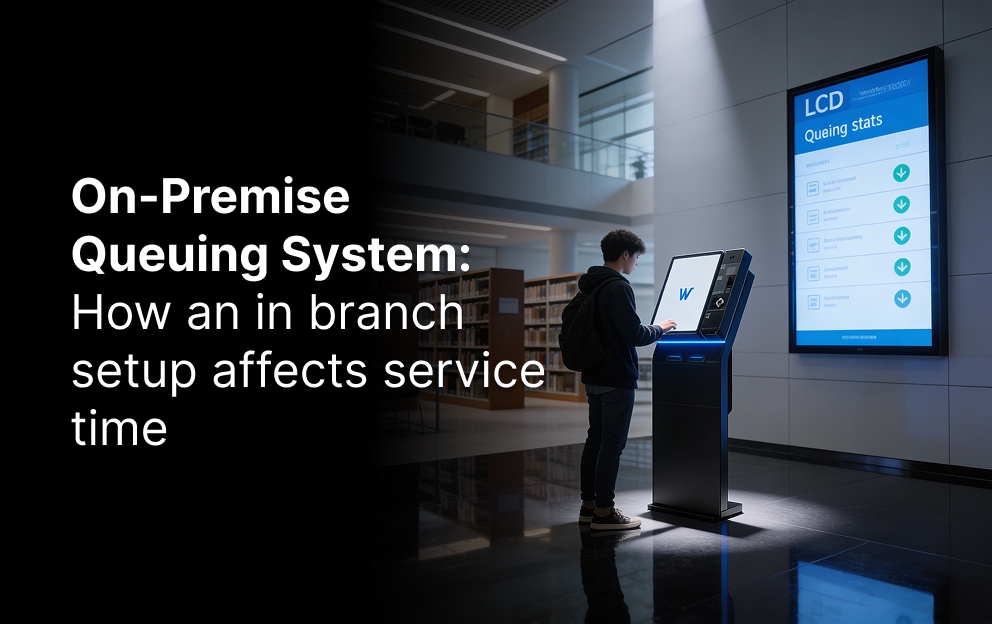
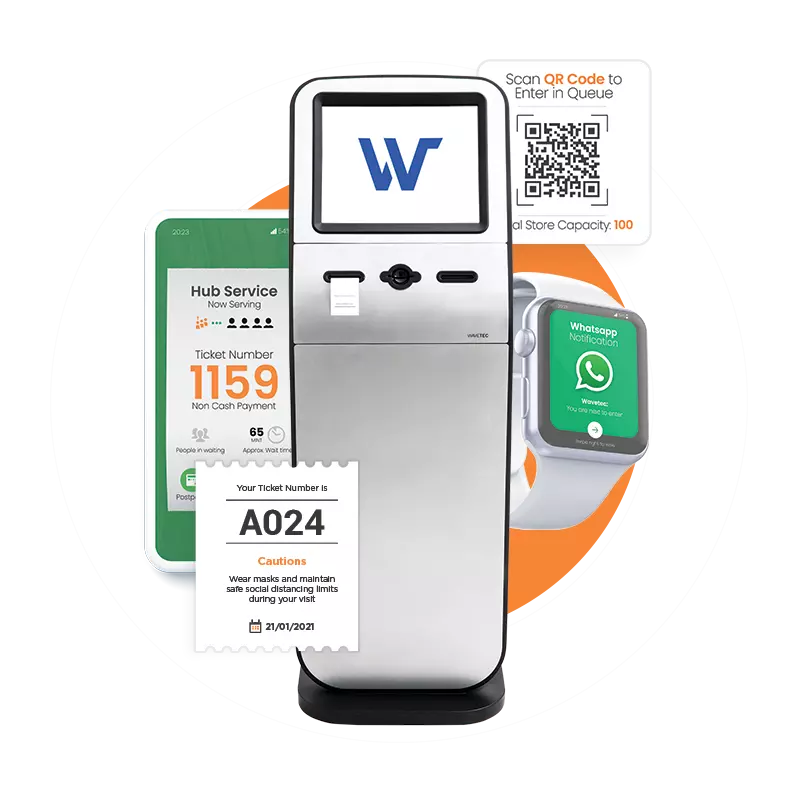
A queue management system gives each visitor a place in line, sends them to the right counter and shows staff who is next. Spectra QMS, Wavetec’s queue management software, also records wait and service times for every visit.
Visitors can join the queue from a ticket dispenser, a kiosk, the Mobile-Q app or WhatsApp Queueing. The guide to virtual queuing in customer service explains how remote check-in works.
Self-Service Kiosks
Kiosks let customers check in, print a ticket, update details or complete simple transactions without waiting for staff. They are the in-person version of a knowledge base: they handle routine tasks so staff can focus on harder ones.
Appointment Booking
Online appointment scheduling spreads visits across the day and lets staff prepare before the customer arrives. Booking by chat app works too; see Wavetec’s WhatsApp appointment management.
Wait-Time Displays and Footfall Counting
Screens that show who is being served and how long the wait is make a queue feel shorter and calmer. Donatello, Wavetec’s digital signage platform, links those screens to the queue. People counting sensors add footfall data, so managers can match staffing to arrivals.
How the Tools Work Together on One Request
Tools only help when they pass information to each other. Here is how a typical customer request moves through a connected setup at a bank:
- Ask: the customer asks on live chat about replacing a damaged card. The chatbot answers the basic steps from the knowledge base.
- Book: the customer books a branch visit online and gets a confirmation by WhatsApp.
- Arrive: at the branch, they check in at a kiosk with their booking code. The queue system places them in the card services line.
- Serve: the agent calls them to a counter and sees the chat history in the CRM, so the customer does not repeat the story.
- Close: the ticket is closed and a short survey is sent. The visit’s wait and service times go to the analytics dashboard.
The data link between steps is what makes it work. The booking feeds the queue, the queue feeds the dashboard, and the CRM ties it to one customer record. This is the core of customer interaction management and an omnichannel customer experience.
Manual Service vs Tool-Supported Service
| Task | Without tools | With connected tools |
|---|---|---|
| Receiving requests | Several inboxes and phone notes | One ticket queue across channels |
| Answering common questions | Agents retype the same answer | Knowledge base and AI suggest it |
| Knowing the customer | Ask them to repeat details | CRM shows full history |
| Managing branch visits | Paper lists and crowded lobbies | Queue system, kiosks and booked slots |
| Measuring service | Guesswork and complaints | Response times, wait times and CSAT on a dashboard |
Key Benefits of Customer Service Support Tools
Benefits for Customers
- Faster answers: routing, chat and AI assist cut the time to first response, especially at peak hours. For in-person service, the same goal applies to customer wait times.
- The same answer everywhere: a shared knowledge base and ticket history keep information consistent, whoever replies. This is the basis of consistent customer service.
- Help on their terms: customers choose self-help, chat, a call or a visit, and can still reach a person when they need one.
If your customers also visit a branch, the queue is where most of their waiting happens, and where a connected tool shows results fastest.
Benefits for the Organization
- Scale without the same rise in headcount: automation and self-service absorb routine volume as the customer base grows.
- Useful data: reports show which issues repeat, which channels are slow and where training is needed.
- Better use of staff: agents spend time on complex cases instead of copying details between systems.
- Better retention: fast, personal support and follow-up surveys keep customers from switching.
Real-World Examples
Banorte, Mexico: across Banorte’s network of 1,220 branches, customers check in at self-service ticket kiosks by inserting their card and are prioritized by account type. Donatello screens show ticket numbers, and live dashboards track each branch’s service figures, at branches that see 400 to 500 customers a day. Read the Banorte case study.
BBVA Peru: across 278 branches, Wavetec’s queue management system brought average waits down by about 35% and abandonment down by 57%, with 99.93% system availability. Read the BBVA Peru case study.
Both show the same pattern: service improved when in-branch tools were connected to the data teams already used.
How to Measure Whether Your Tools Are Working
Pick a few numbers before rollout and track them monthly. These are the ones most teams use:
- First response time: how long until a customer hears back.
- Resolution time: how long until the issue is closed.
- CSAT or NPS: how customers rate the interaction.
- Self-service resolution: how many issues close without an agent.
- Average wait and abandonment: for branches, how long people wait and how many leave before being served.
Wavetec’s guides on how to measure customer satisfaction and queue management analytics explain how to set targets. Spectra’s queue analytics dashboards track wait and service times by branch in real time.
How to Choose the Right Customer Service Tools
Start with where your customers contact you, not with a vendor list. A software company with online customers needs a different stack from a hospital or a bank branch network.
Questions to Ask Before You Buy
- Which channels do customers use most today: email, chat, phone, social or visits?
- Does the tool connect to your CRM and the systems you already run?
- Can you reach a person easily when the AI cannot help?
- What does reporting include, and can you export the data?
- Where is customer data stored, and which security certifications does the vendor hold?
Cost Drivers
Most help desks charge per agent per month, and the price climbs with automation, AI and reporting features. AI agents are increasingly billed per resolved conversation, which can cost more than seats at high volume. For in-person tools, cost depends on the number of sites, counters and devices, and on whether the software runs in the cloud or on your own servers.
Customer Service Tools for Small Businesses
A small team can start with a free or low-cost shared inbox and knowledge base, add live chat, and move to a full help desk as volume grows. Small businesses with a physical counter, such as a clinic or service center, can begin with a simple take-a-number system before moving to a full queue setup.
What to Plan Before Go-Live
Security and privacy. Customer service tools hold personal data, so check certifications, access controls and data retention before you sign. Wavetec holds ISO/IEC 27001:2022 certification, is SOC 2 compliant, and is HIPAA compliant for healthcare clients. Wavetec’s article on customer data privacy covers what customers expect.
A human route. Gartner’s 2025 survey of 265 service leaders named live chat, self-service portals and knowledge management as essential tools. None of them replace people; they decide when a person is needed. Design the hand-off before launch.
Training. Agents need to know when to use each tool and how to read its data. Frontline staff in branches need the same; see how to improve frontline customer service.
How to Roll Out New Customer Service Tools
- Map your current requests: list channels, volumes and the top ten reasons customers contact you.
- Pick the first tool: start where the pain is biggest, usually ticketing or, for branches, the queue.
- Connect the data: link the new tool to your CRM before launch, not after.
- Pilot with one team or site: measure the baseline for four to six weeks, then compare.
- Train and adjust: fix routing rules, articles and screens based on what agents report.
- Expand: add the next tool only when the first one is used well.
FAQs
Where to Start
For most teams, the first three customer service tools are a ticketing system, live chat and a knowledge base, with a CRM to tie them together. If your customers also visit a branch, clinic or counter, the biggest gains usually come from managing the queue, and Wavetec’s enterprise queue management software connects that wait to the rest of your service data.
Connect your counter to the rest of your service
See how Wavetec manages walk-ins, bookings and wait times in a 30-minute demo.