A voice enabled kiosk is a self-service terminal equipped with AI-powered voice recognition that allows customers to interact using spoken commands rather than touch screens. Using natural language processing (NLP), it understands intent, routes service requests, and delivers information; making self-service faster, more accessible, and hands-free.
Self-service kiosks have become a familiar sight. They let customers check in at clinics, order food at restaurants, print tickets at airports, and pay for shopping without staff help. But for many people, these touchscreen terminals are not easy to use.
Elderly customers struggle with small buttons and unfamiliar menus. Visually impaired users cannot see the screen at all. Non-native speakers find the language choices confusing. Even tech-savvy customers get frustrated when they have to tap through multiple screens for a simple task.
The limitations of touch-only kiosks have become increasingly apparent as businesses try to serve diverse customer populations. Voice enabled kiosk technology is changing this.
By adding AI-powered voice recognition, these smart terminals let customers speak their requests naturally. They ask questions, make selections, and complete transactions using their voice. This makes self-service faster, more inclusive, and more natural.
Wavetec’s self-service kiosks are at the forefront of this transformation, combining touch and voice capabilities to serve all customers equally.
What Is a Voice Enabled Kiosk?
A voice enabled kiosk is a self-service terminal that uses AI-powered voice recognition to allow customers to interact using spoken commands. Instead of tapping through menus, customers speak naturally. The kiosk listens, understands the request, and responds.
The technology relies on several components working together.
- A microphone array captures the customer’s voice, filtering out background noise common in busy environments like bank lobbies, hospital waiting rooms, and retail stores.
- Natural Language Processing (NLP) interprets what the customer says. Unlike basic command systems that only recognise specific keywords, modern NLP understands intent and context. A customer might say “I need to check my balance,” “What’s my account balance?” or “Show me how much money I have,” and the system recognises all as the same intent.
- Text-to-speech feedback confirms understanding and guides the customer through the process. Integration with back-end service systems completes the transaction, routing the customer to the right queue, displaying the requested information, or completing the service.
This combination of voice recognition, NLP, and system integration turns a simple kiosk into an intelligent service assistant that can handle complex interactions without human intervention.
How AI Voice Recognition Works in Kiosk Environments
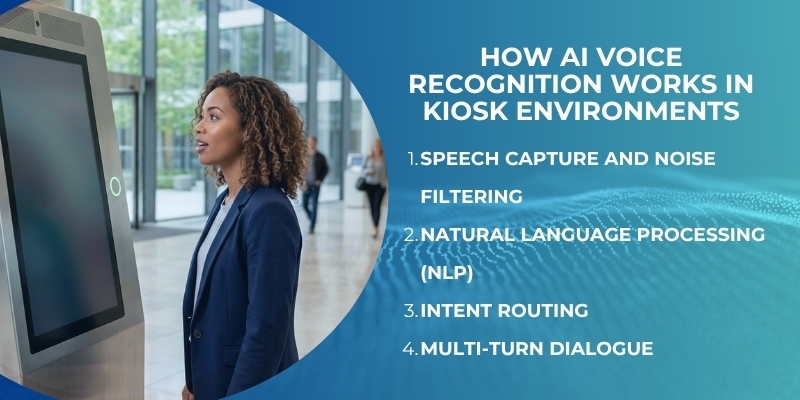
Voice recognition in kiosk environments faces challenges that do not exist in quiet home or office settings. Background noise, multiple conversations, and varying accents all affect accuracy. Modern systems address these challenges through several technical layers.
Speech Capture and Noise Filtering
The kiosk uses an array of microphones rather than a single microphone. This array can distinguish the customer’s voice from background noise, focusing on the person standing directly in front of the kiosk.
Advanced beamforming technology isolates the direction of the speaker, reducing interference from other conversations, music, or ambient sounds common in service environments.
Natural Language Processing (NLP)
Once the speech is captured, NLP interprets what the customer means, not just the words they say. A customer might ask “Where do I go for my appointment?” or “I have a 10 o’clock with Dr. Smith.”
The NLP engine understands both as a request for appointment routing. This conversational ability makes the interaction feel natural rather than robotic. Customers do not need to memorise specific commands.
Intent Routing
After understanding the customer’s intent, the kiosk routes them to the appropriate service.
- A banking customer asking about their balance is directed to account information.
- A patient asking about their appointment is shown the check-in process.
- A retail customer asking about a return is guided to the returns queue.
This routing is done automatically, without the customer needing to navigate menus.
Multi-Turn Dialogue
Advanced systems maintain context across multiple exchanges. A customer might say “I need to check my balance,” then follow with “Actually, can I also make a payment?” The system remembers the first request and handles the second without starting over. This mimics natural human conversation and makes complex interactions possible.
Industries Where Voice Enabled Kiosks Are Making an Impact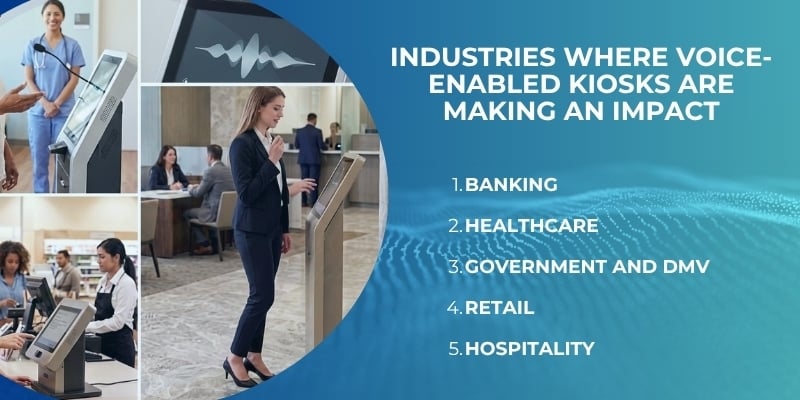
Voice enabled kiosks are being deployed across multiple industries, each with specific use cases that benefit from voice interaction.
Banking
Customers use voice kiosks for account enquiries, balance checks, and queue joining. Instead of navigating multiple screens, they simply say “I need to see a teller” or “Check my savings balance.”
This reduces the time spent at the kiosk and makes banking accessible to customers who struggle with touchscreens.
Healthcare
Voice kiosks handle patient check-in, wayfinding, and appointment confirmation. A patient arriving at a clinic can say “I have a 9:30 appointment with Dr. Jones” and be checked in automatically.
The system can also provide directions to the correct department. This is particularly valuable in large hospital complexes where patients often get lost.
Government and DMV
Voice kiosks help citizens select services, complete forms, and join queues. A customer at a DMV can say “I need to renew my license” and be guided through the process without touching a screen. This reduces confusion and speeds up service.
Retail
Voice kiosks handle product enquiries, returns, and self-checkout. A customer can ask “Where can I find batteries?” or “How do I return this item?” and receive immediate answers. In busy stores, voice checkout allows customers to complete purchases hands-free.
Hospitality
Hotels use voice kiosks for check-in, concierge services, and wayfinding. Guests can say “I’m checking in” or “Where is the fitness centre?” and receive immediate assistance. This is especially valuable for international travellers who may not be comfortable with English text on a screen.
The global voice and speech recognition market was valued at USD 20.25 billion in 2023 and is projected to reach USD 53.67 billion by 2030, growing at a CAGR of 14.6%. Enterprise self-service and kiosk applications are among the fastest-growing deployment segments, reflecting the increasing adoption of voice technology in customer-facing environments.
Wavetec’s queue management system integrates with voice enabled kiosks, allowing customers to join queues, check service status, and receive updates using voice commands.
Accessibility: The Transformative Case for Voice Kiosks
Accessibility is perhaps the most compelling argument for voice enabled kiosks. Touchscreen kiosks exclude significant portions of the population.
- Visually impaired customers cannot see the screen.
- Elderly customers with arthritis or limited dexterity struggle with small buttons.
- Customers with low literacy or language barriers find menus confusing.
Voice kiosks remove these barriers.
For visually impaired users, voice interaction is transformative. They can complete transactions independently without requiring staff assistance.
For elderly users, speaking is often easier than tapping small targets on a screen. For non-native speakers, multilingual voice capability allows them to interact in their preferred language.
The European Accessibility Act (EAA) came into force on June 28, 2025, requiring digital self-service products including kiosks, ATMs, and ticket machines to be accessible to people with disabilities. Voice enabled kiosks help organisations meet these requirements while serving all customers better.
Multilingual voice capability extends accessibility beyond disability. A kiosk that supports multiple languages through voice, not just text, can serve diverse communities without requiring customers to navigate language menus. They simply speak in their language, and the system responds in kind.
Key Features of an Enterprise-Grade Voice Enabled Kiosk
Organisations deploying voice enabled kiosks at scale need platforms that are reliable, secure, and manageable. Enterprise-grade systems include several essential features.
- Multilingual NLP supports multiple languages without requiring separate configurations. The system detects the language being spoken and responds appropriately.
- Touchless fallback option allows customers to switch to touch if voice recognition fails due to background noise or other issues. This ensures that everyone can complete their transaction.
- Voice plus touch hybrid mode lets customers use both modalities in the same interaction. They might speak a request but tap to confirm. This flexibility accommodates different preferences and situations.
- Integration with queue management routes customers to the right service queue based on their spoken request. The customer says what they need, and the system handles the routing automatically.
- Analytics on voice interaction patterns provides insights into how customers use the system. Which requests are most common? Where do customers struggle? This data supports continuous improvement.
- Remote management allows administrators to update voice models, add new languages, and monitor performance across all kiosks from a central dashboard.
Waitwhile’s 2025 consumer research found that nearly 65% of customers prefer appointment scheduling and 50% favour virtual queues over physical standing. This demonstrates strong and growing consumer demand for frictionless, touchless self-service interactions; exactly what voice enabled kiosks deliver.
Wavetec’s self-service kiosks include these enterprise-grade features, making them suitable for large-scale deployments across multiple locations.
Voice Kiosks and Queue Management Integration
Voice kiosks serve as intelligent check-in points that route customers into the correct service queue. The integration between voice kiosks, queue management systems, and digital signage creates a seamless customer journey.
- When a customer approaches a voice kiosk, they speak their request.
- The system understands their intent and determines which service queue they should join.
For a banking customer, this might be the teller queue, the loan officer queue, or the safe deposit box queue. For a healthcare patient, this might be the registration queue, the consultation queue, or the lab queue.
- The queue management system receives the customer’s information and adds them to the appropriate queue.
- Digital signage updates to show the customer’s position and estimated wait time.
- If the customer has provided their phone number, they receive SMS updates about their queue status.
This integration eliminates the need for customers to navigate complex menus to select their service. They simply say what they need, and the system handles the rest. For organisations, this means faster check-in, more accurate routing, and better queue data.
Wavetec’s digital signage solutions display real-time queue information generated by voice kiosk check-ins, keeping customers informed throughout their wait.
FAQs
What is a voice-enabled kiosk?
A voice-enabled kiosk is a self-service terminal equipped with AI-powered voice recognition that allows customers to interact using spoken commands.
It uses natural language processing to understand intent, routes service requests, and delivers information without requiring touchscreen navigation.
How does AI voice recognition work in self-service kiosks?
The kiosk uses a microphone array to capture speech, filters background noise, and processes the speech through a natural language processing engine that interprets intent.
The system then routes the customer to the appropriate service and provides spoken or on-screen confirmation.
Are voice-enabled kiosks accessible for elderly or disabled users?
Yes. Voice kiosks are particularly beneficial for elderly users with limited dexterity, visually impaired users, and those with low literacy.
They eliminate the need for fine motor control and screen reading, making self-service accessible to previously excluded populations.
Can voice kiosks handle multiple languages?
Yes. Enterprise-grade voice kiosks support multilingual natural language processing. The system can detect the language being spoken and respond in the same language, serving diverse customer populations without requiring language selection menus.
How do voice kiosks integrate with queue management systems?
Voice kiosks capture the customer’s service request, determine the appropriate queue, and add the customer to that queue automatically. The queue management system tracks the customer’s position and updates digital signage and SMS notifications accordingly.
Author Bio: This article was written by the self-service solutions team at Wavetec, a global provider of queue management, digital signage, and self-service kiosk platforms. Wavetec helps organisations across banking, healthcare, retail, and government sectors deploy intelligent kiosk solutions that improve customer experience and operational efficiency.
Conclusion
Voice-enabled kiosks represent the next frontier in self-service technology. By combining AI voice recognition with natural language processing, they make self-service accessible to everyone.
Elderly customers, visually impaired users, non-native speakers, and tech-savvy customers alike can complete transactions simply by speaking. The technology is mature, the market is growing rapidly, and the business case is clear: faster check-in, better queue routing, reduced staff workload, and higher customer satisfaction.
As the European Accessibility Act and similar regulations raise the bar for inclusive service design, voice kiosks will become not just an option but a necessity.
Wavetec’s smart kiosk solutions are ready to help organisations make the transition. Ready to make self-service accessible to all your customers? Visit the Wavetec self-service kiosks page to learn more
BOOK A FREE DEMO